What to Include in a Hotel Marketing Report
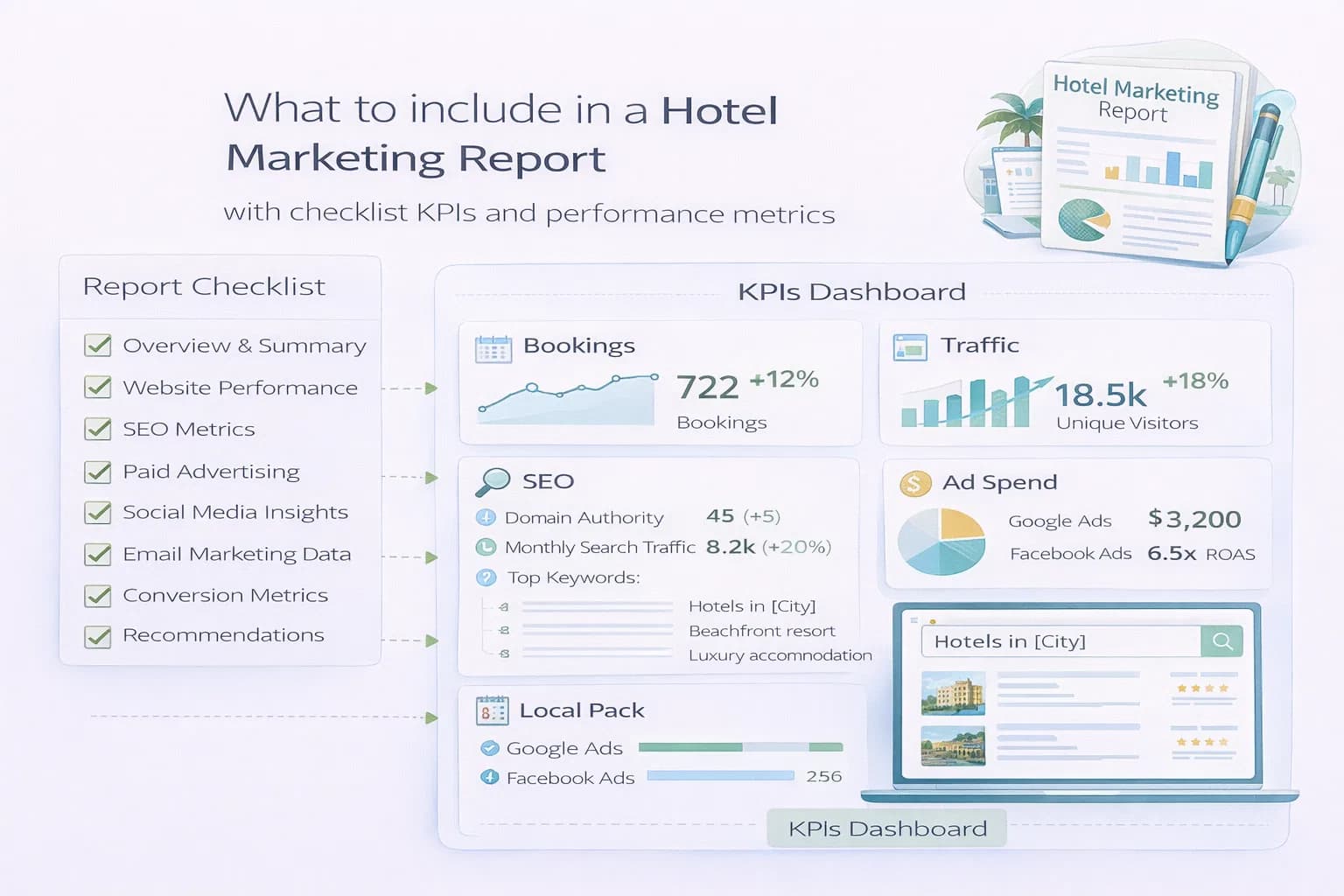
Most hotel reports are cluttered, overly technical, or disconnected from revenue. This guide shows you exactly what to include in a hotel marketing report so you can communicate performance clearly and tie every channel to direct bookings, revenue, and OTA share.
You can use this template for monthly reviews, owner updates, or multi-property roll-ups.
1) Executive Summary (90 seconds)
Keep this to a single screen.
- Direct bookings change (e.g., “Direct bookings +11% MoM”)
- OTA share movement (e.g., “OTA share down 6 points”)
- Key performance drivers (SEO, PPC, Email, seasonality, CRO changes)
- 3–5 next actions with owners and deadlines
Where to pull data: PMS/CRM, GA4 Overview, OTA dashboards.
2) Direct Bookings, Revenue & OTA Share
This is the heart of the report.
Show:
- Direct bookings
- Total room revenue
- ADR (average daily rate)
- Direct share % vs OTA share %
- MoM, YoY, and vs budget/forecast
Formula:
Direct Share % = Direct Revenue ÷ Total Room Revenue
Where to pull data: PMS/CRM (source of truth), GA4 e-commerce for channel splits.
For deeper attribution, see Measuring the ROI of Hotel SEO.
3) Channel Performance (Traffic → Booking)
Build a compact journey table.
Columns:
Sessions → Engaged Sessions → Begin Checkout → Purchases → Revenue → CoS (Cost/Revenue)
Rows:
Organic, Paid Search (Brand/Non-Brand/Hotel Ads), Meta/YouTube, Email, Referral/Partnerships
Add short context notes like seasonality, rate changes, or creative fatigue.
Where to pull data: GA4, Google Ads, Meta Ads, SERP Tracker.
4) Organic Search & Local Visibility
Connect visibility to intent and revenue.
Show:
- Impressions, Clicks, CTR, Avg Position for priority URLs
- GBP data: calls, direction requests, listing views, photo interactions
- Top-performing landing pages
- Pages losing visibility or traffic
Act:
Fix titles/descriptions, improve speed, strengthen internal linking.
Tools:
- Search Console
- GBP Insights
- Website Speed
- Meta Titles Guide
- GBP Optimisation
5) Paid Media (Search, Hotel Ads, Social)
Report PPC by intent buckets rather than by campaigns.
Buckets:
- Brand Search
- Near-brand Search
- Non-brand Search
- Google Hotel Ads
- Remarketing
- Display/YouTube
Show:
- Cost
- Clicks
- Conversion Rate
- Bookings
- Revenue
- tROAS & CoS (Cost ÷ Revenue)
Where to pull data: Google Ads, Hotel Center, Meta Ads, GA4.
Useful guides:
Hotel Ads vs Traditional PPC
Tracking Direct Bookings from PPC
6) Email & CRM Performance
Show lifecycle and campaign impact.
Show:
- Sends
- Open rate
- Click rate
- Revenue per send
- Booking rate
- List growth & list health (engaged users vs inactive)
Flows to analyse:
Welcome, Pre-stay, On-stay, Post-stay, Re-engagement.
See Hotel Email Strategy 2026 and Post-Stay Flows.
7) Website UX, CRO & Core Web Vitals
Tie experience improvements to conversion outcomes.
Show:
- LCP, INP, CLS for primary templates (Home, Rooms, Offers, Checkout)
- Funnel drop-offs and form completion rates
- Top UX blockers (slow hero, oversized images, date-picker errors)
Tools:
Website Speed
Crawlability
8) Content, Entities & SEO Foundations
Show how your content supports discovery and AEO.
Show:
- New or updated pages
- FAQ/HowTo schema added
- Strengthened internal links
- Updated location guides
- Entity consistency checks
Useful guides:
Location Guides
Entity Optimisation
9) Reputation & Guest Feedback
Reviews impact local SEO and conversions.
Show:
- Average rating trend
- Review volume
- Review themes (positive/negative)
- Response rate
Where to pull data: GBP, TripAdvisor, Booking.com, internal surveys.
Useful guide:
Reviews as a Ranking Signal
10) Forecast, Budget & Next Actions
End with clear instructions and owner accountability.
Include:
- Budget movement recommendations
- Forecasted bookings/revenue for next month based on seasonality
- 4–6 actions with deadlines
- One CRO fix and one SEO fix for next reporting cycle
What your final report should look like (structure)
- Executive Summary
- Direct vs OTA Share
- Channel Journey Table
- Organic & Local
- PPC & Hotel Ads
- Email & CRM
- UX/CRO/CWV
- Content & Entities
- Reputation
- Budget + Forecast + Actions
Relevant pillar: Hotel Analytics
How to measure success
- GA4: bookings, revenue, engaged sessions, checkout starts, conversion rate
- Search Console: CTR per URL, impressions, keyword movement
- GBP: listing actions, calls, direction requests
- PMS/CRM: direct share, total revenue, ADR
- Tools: SERP Tracker, Website Speed, Crawlability
Conclusion
A good hotel marketing report is simple, repeatable, and aligned with revenue. Focus on direct vs OTA share, channel journey performance, UX/CWV, content improvements, and a small list of next actions. Do this consistently and stakeholders quickly understand where growth is coming from and why your work matters.
Improve your reporting clarity
Kiril Ivanov
Performance Marketing Specialist
Kiril Ivanov is a digital marketing specialist with experience managing local, national and international campaigns for businesses ranging from growing independent companies to major consumer brands. His background includes leading advertising automation work for Michael Kors and working on campaigns involving Canon, Dormeo, esure, DLG Group, Village Gym, Cameron House, Crerar Hotels, Cromlix Hotel, Harrison Fund and the Advertising Standards Authority. His experience spans paid search, paid social, advertising automation, SEO, conversion optimisation and wider digital strategy across hospitality, retail, financial services, professional services and other competitive sectors.
View author profile →Related Hotel Marketing Guides
Continue with related topics to build a complete strategy.