Hotel Analytics Playbook: Data-Driven Decision Making
Data without action is just noise. Hotels generate thousands of data points daily—from website visits to booking completions—but most properties struggle to turn that data into revenue-driving decisions.
This playbook covers the analytics foundations every hotel needs: what to track, how to set it up, and how to build reports that actually get used.
1) The hotel analytics stack
Core tools
| Tool | Purpose | Priority | |------|---------|----------| | GA4 | Website behaviour, conversions, attribution | Essential | | Google Search Console | Organic visibility, indexation, queries | Essential | | Google Tag Manager | Tag deployment, event tracking | Essential | | Looker Studio | Custom dashboards, automated reporting | High | | BigQuery | Large-scale analysis, data warehouse | Advanced |
Booking engine integration
Your booking engine must pass ecommerce data to GA4:
begin_checkout— user starts booking flowadd_payment_info— payment details enteredpurchase— booking completed with revenue
Most modern engines (SynXis, Profitroom, Triptease) support this. Coordinate with your vendor to enable enhanced ecommerce.
For cross-domain setup, see Cross-Domain Booking Tracking.
2) Essential metrics for hotels
Revenue metrics (primary)
- Total revenue — all booking value attributed to digital
- Organic revenue — bookings from organic search
- Paid revenue — bookings from PPC campaigns
- Revenue per session — efficiency metric across channels
Conversion metrics
- Booking conversion rate — purchases ÷ sessions
- Booking engine arrival rate — users reaching the engine
- Cart abandonment rate — started but didn't complete
- Assisted conversions — touchpoints in multi-session journeys
Engagement metrics
- Sessions and users — volume indicators
- Pages per session — engagement depth
- Average session duration — time on site
- Bounce rate — single-page sessions (context-dependent)
SEO-specific metrics
- Organic sessions — traffic from search
- Organic conversion rate — organic bookings ÷ organic sessions
- Keyword rankings — position for priority terms
- Indexed pages — pages Google has in its index
For detailed SEO measurement, see Measuring Hotel SEO Success.
3) GA4 setup for hotels
Property configuration
- Enable enhanced measurement — scroll, outbound clicks, site search
- Set up conversions — mark
purchaseas a conversion event - Configure data retention — 14 months for meaningful YoY analysis
- Enable Google Signals — cross-device tracking (with consent)
Custom events to implement
// Booking engine arrival
gtag('event', 'begin_checkout', {
  currency: 'GBP',
  value: 250.00,
  items: [{
    item_name: 'Deluxe Room',
    item_category: 'Rooms',
    price: 250.00,
    quantity: 1
  }]
});

// Successful booking
gtag('event', 'purchase', {
  transaction_id: 'T12345',
  currency: 'GBP',
  value: 520.00,
  items: [{
    item_name: 'Deluxe Room - 2 nights',
    item_category: 'Rooms',
    price: 260.00,
    quantity: 2
  }]
});
Custom dimensions
Create custom dimensions for hotel-specific segmentation:
- Room type — which rooms drive most revenue
- Rate plan — BAR vs packages vs promotions
- Booking window — days between booking and stay
- Length of stay — single night vs extended
4) Attribution models explained
Last-click attribution
Credits the final touchpoint before conversion. Simple but undervalues awareness channels.
When it works: Direct response campaigns, branded search.
Data-driven attribution (GA4 default)
Uses machine learning to assign fractional credit across touchpoints based on their actual impact.
When it works: Most scenarios—let GA4's model learn from your data.
First-click attribution
Credits the first touchpoint in the journey. Useful for understanding discovery channels.
When it works: Evaluating top-of-funnel content, brand awareness campaigns.
Position-based attribution
40% to first touch, 40% to last touch, 20% distributed across middle touchpoints.
When it works: When you want to credit both discovery and conversion.
How to compare models
In GA4, use the Model comparison report to see how different attribution models value each channel. This reveals whether organic search is being under-credited by last-click.
5) Building effective dashboards
Executive dashboard (weekly)
One page showing:
- Revenue this week vs last week vs same week LY
- Bookings by channel — organic, paid, direct, referral
- Conversion rate trend — is efficiency improving?
- Top 5 landing pages by revenue
Keep it simple. Executives need headlines, not deep dives.
Marketing dashboard (weekly)
- Channel performance — sessions, conversions, revenue, CVR by source
- Campaign performance — paid campaigns with spend, revenue, ROAS
- Content performance — blog posts by traffic and engagement
- SEO snapshot — organic sessions, rankings for priority keywords
Technical dashboard (monthly)
- Core Web Vitals — LCP, INP, CLS by page template
- Crawl stats — pages crawled, errors, indexation status
- Page speed trends — are we getting faster or slower?
- Error rates — 404s, 500s, JavaScript errors
Use Website Speed Tester to benchmark performance.
6) Reporting cadence
Daily (automated alerts)
- Revenue significantly above/below expected
- Conversion rate drops below threshold
- Traffic anomalies (spikes or crashes)
Weekly
- Executive summary with key metrics
- Channel performance review
- Campaign optimisation recommendations
Monthly
- Deep-dive analysis by segment
- Content performance audit
- Technical health review
- Competitor benchmarking
Quarterly
- Strategic review with YoY comparisons
- Attribution analysis
- Budget reallocation recommendations
- Roadmap planning for next quarter
7) Common analytics mistakes
Mistake 1: Tracking everything, analysing nothing
More data isn't better if no one acts on it. Focus on metrics that drive decisions.
Fix: Start with 5-10 core metrics. Add more only when you've mastered those.
Mistake 2: Ignoring cross-domain tracking
If your booking engine is on a subdomain or third-party domain, sessions break without proper setup.
Fix: Configure cross-domain tracking in GA4. Verify with real-time reports.
Mistake 3: No baseline period
"Revenue is up 15%" means nothing without context. Up from what? Is that seasonal?
Fix: Always compare to same period last year, not just last month.
Mistake 4: Vanity metrics focus
10,000 sessions means nothing if conversion rate is 0.1%. Traffic without conversion is a cost, not an asset.
Fix: Pair volume metrics with efficiency metrics. Revenue per session matters more than sessions alone.
Mistake 5: Set and forget
Analytics implementations drift. Tags break, events stop firing, new pages don't get tracked.
Fix: Monthly audit of key events. Verify purchase tracking fires correctly.
8) Advanced analytics
Cohort analysis
Group users by acquisition date and track behaviour over time. Useful for:
- Understanding booking windows
- Measuring repeat visitor value
- Evaluating content's long-term impact
Funnel analysis
Map the booking journey:
- Landing page
- Room/offer page view
- Booking engine arrival
- Payment info entered
- Purchase complete
Identify where users drop off and prioritise fixes.
Segment comparisons
Compare behaviour across:
- Device — mobile vs desktop conversion rates
- Geography — UK vs international visitors
- Acquisition — organic vs paid vs direct
- New vs returning — loyalty indicators
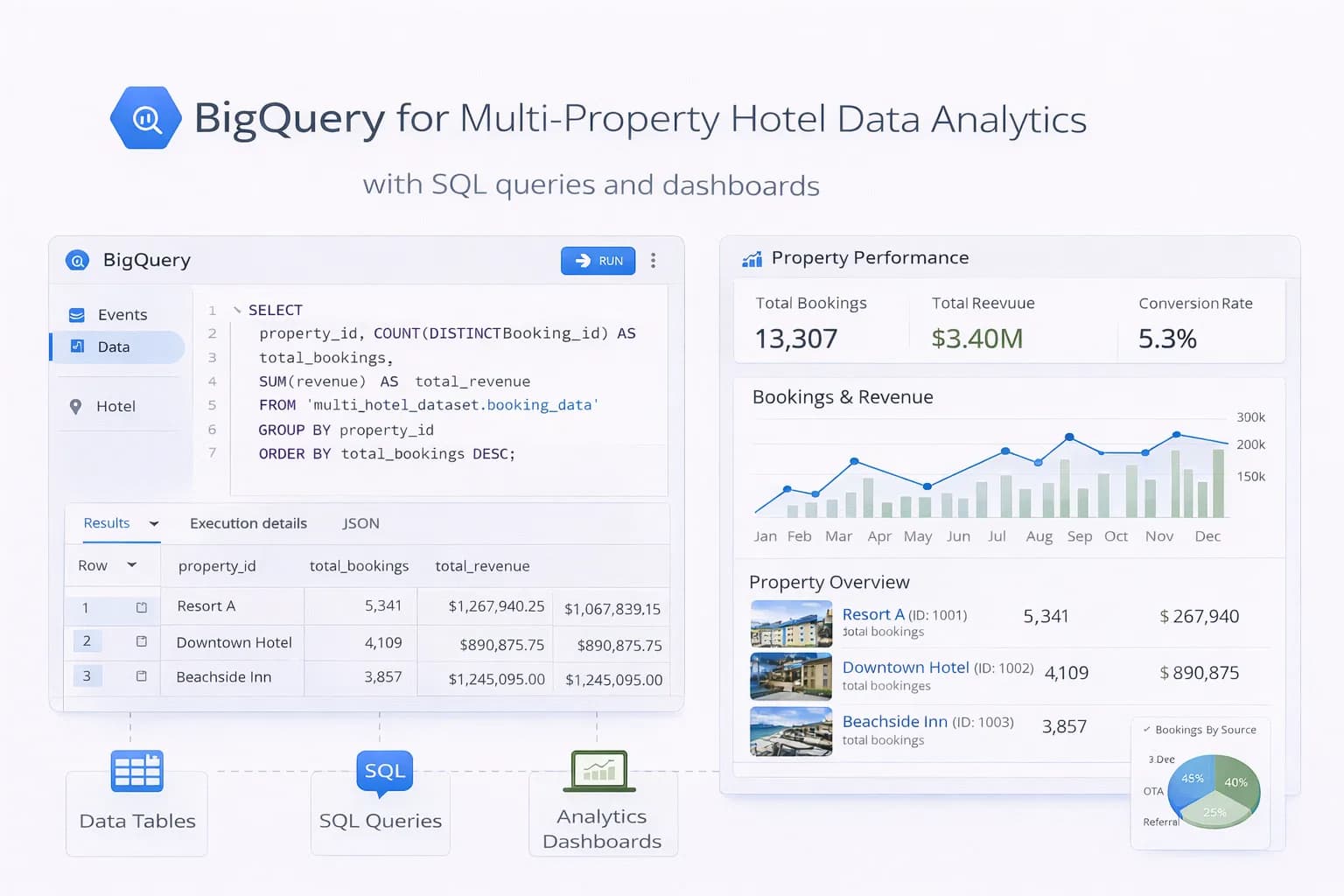
BigQuery for scale
For multi-property hotels or high-traffic sites, export GA4 data to BigQuery for:
- Custom attribution models
- Lifetime value calculations
- Cross-property analysis
See BigQuery for Multi-Property Hotels.
Action checklist
- Audit current GA4 setup — verify enhanced ecommerce fires correctly
- Configure cross-domain tracking — essential for booking attribution
- Build a weekly dashboard — 5-10 key metrics, automated delivery
- Set up alerts — revenue anomalies, conversion rate drops
- Establish baselines — document current performance for comparison
- Schedule monthly reviews — don't let analytics drift

Kiril Ivanov
Performance Marketing Specialist
Kiril Ivanov is a digital marketing specialist with experience managing local, national and international campaigns for businesses ranging from growing independent companies to major consumer brands. His background includes leading advertising automation work for Michael Kors and working on campaigns involving Canon, Dormeo, esure, DLG Group, Village Gym, Cameron House, Crerar Hotels, Cromlix Hotel, Harrison Fund and the Advertising Standards Authority. His experience spans paid search, paid social, advertising automation, SEO, conversion optimisation and wider digital strategy across hospitality, retail, financial services, professional services and other competitive sectors.
View author profile →Related Hotel Marketing Guides
Continue with related topics to build a complete strategy.