Google Business Profile for Hotels (2026)
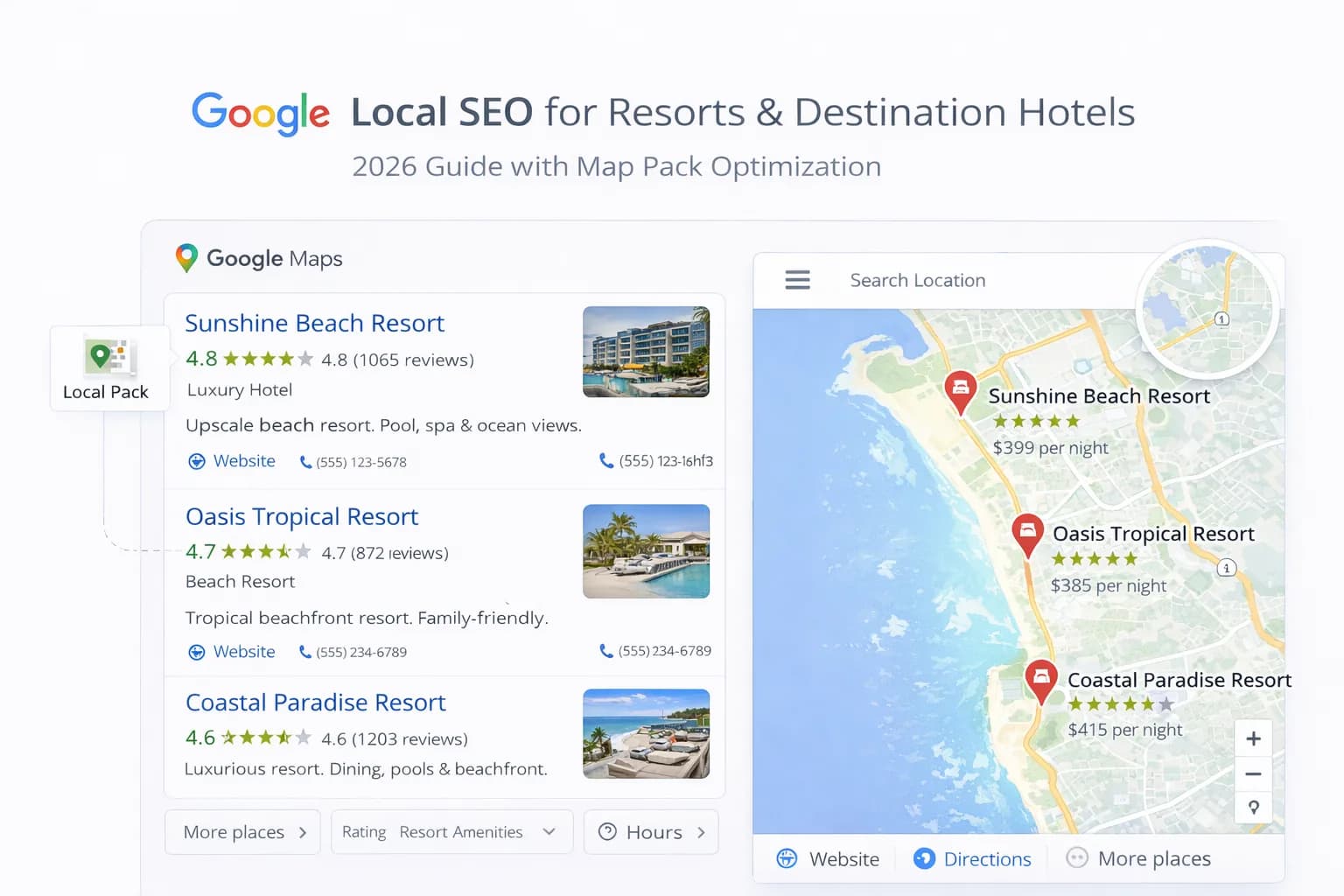
Your Google Business Profile (GBP) is one of the most powerful tools for driving direct bookings. It appears in Map Packs, local search results and Google Assistant answers. Yet most hotel profiles are incomplete, outdated or poorly optimised. This means missed revenue and weaker local visibility.
In this playbook, you will learn how to set up, optimise and maintain your hotel's GBP to win more direct bookings. We cover everything from initial verification to advanced tactics such as Q&A management, structured data integration and multi-property governance. By the end, you will have a complete, repeatable process you can apply to any hotel profile.
1. Why GBP Matters for Hotels
GBP is your hotel's digital storefront on Google. It is the first thing guests see when they search "hotels near me", "boutique hotel in Edinburgh" or "pet-friendly hotel in Brighton". A well-optimised profile improves map visibility, increases click-through rates and drives more direct traffic to your website.
Google's documentation on business profiles confirms that accurate categories, high-quality photos and consistent information all support local ranking signals. When your profile is complete, Google rewards you with better placement and more visibility.
Key benefits
- Higher visibility in Map Pack and local organic results.
- More direct bookings by reducing reliance on OTAs.
- Better guest engagement through reviews, Q&A and posts.
- Improved trust and credibility with professional photos and responses.
- Stronger local SEO signals that support your website rankings.
2. GBP Setup & Verification
Before you optimise anything, you must claim and verify your hotel's profile. Google requires proof that you own or manage the property. Verification can be done by postcard, phone, email or instant verification if you have Search Console access.
Step-by-step setup
- Go to business.google.com and sign in with your hotel's Google account.
- Search for your hotel name or add a new business if it does not exist.
- Enter your exact hotel name, address and phone number (NAP).
- Choose your primary category (e.g., "Hotel").
- Request verification via postcard or instant method.
- Enter the verification code when it arrives.
- Complete your profile with opening hours, website URL and service areas.
Google's support page on verification explains all available methods. For multi-property groups, verify each location separately but manage them centrally.
3. Choosing the Right Categories & Attributes
Categories are one of the most important ranking signals. They tell Google what type of business you operate and help match your profile to relevant searches. Hotels should select one primary category and up to nine additional categories.
Primary category
Always use "Hotel" unless you operate a very specific type of property such as:
- Boutique Hotel
- Extended Stay Hotel
- Resort Hotel
- Bed & Breakfast
- Capsule Hotel
- Love Hotel (specific markets only)
Secondary categories
Add relevant categories such as:
- Wedding Venue
- Conference Center
- Spa
- Restaurant
- Bar
- Event Venue
Google's category list is regularly updated. Review your categories quarterly to ensure they match your current services.
Attributes
Attributes let you highlight specific features that influence booking decisions. Common hotel attributes include:
- Free Wi-Fi
- Free Parking
- Pet-Friendly
- Wheelchair Accessible
- Pool
- Gym
- Restaurant
- Bar
- Room Service
- Sustainability practices
- Health and safety features where relevant
Add every relevant attribute. They appear in search filters and influence Map Pack rankings.
3.1 Consistency Across Your Site, GBP and Citations
GBP performs best when the same business facts appear consistently everywhere guests and search engines check them.
Keep these aligned
- Business name, address and phone number across your website, GBP, directories and social profiles.
- Booking URL so guests land on the same direct path from search, maps and your own site.
- Core amenities such as parking, pet policy, breakfast, accessibility and EV charging.
- Photo set and brand tone so Google, guests and OTA comparisons all reflect the same property reality.
If these details drift, guests lose trust and Google gets mixed signals. Check consistency regularly with our GBP Consistency Tool.
4. Uploading High-Quality Photos
Photos are the most viewed part of your GBP. Google reports that businesses with photos receive 42% more requests for directions and 35% more clicks to their websites. Hotels should upload at least 20 high-quality images covering all key areas.
Photo types
- Exterior: Show your building and surroundings.
- Lobby: First impressions matter.
- Rooms: Upload your best room types (deluxe, suites, standard).
- Amenities: Pool, gym, spa, restaurant, bar.
- Food & Beverage: Breakfast buffet, room service, bar.
- Team: Staff photos build trust.
- Events: Weddings, conferences, private dining.
Photo guidelines
- Use high resolution (minimum 720 x 720 px).
- Upload in JPG or PNG format.
- Avoid heavy filters or logos.
- Refresh photos every quarter.
- Add captions for context (e.g., "Junior Suite with Sea View").
For more tips, see our landing page guide.
5. Writing Your Business Description
Your business description is a 750-character opportunity to explain what makes your hotel unique. Google displays this text on your GBP and in search results. Write clearly, focus on benefits and include local references.
What to include
- Hotel type and star rating.
- Location and nearby landmarks.
- Unique amenities (spa, rooftop bar, pet-friendly).
- Target audience (business travellers, families, couples).
- Awards or recognitions.
- Booking call-to-action.
Example
The Grand Marina Hotel is a 4-star boutique hotel located in the heart of Brighton's seafront. We offer 45 elegantly designed rooms, a rooftop terrace bar, complimentary Wi-Fi and on-site parking. Perfect for couples and business travellers, we are just 2 minutes' walk from Brighton Pier and the historic Lanes. Book directly for the best rates and exclusive perks.
Avoid keyword stuffing. Write for humans, not algorithms.
6. Managing Reviews & Responses
Reviews are a critical ranking signal and influence guest decisions. Google reports that 88% of consumers trust online reviews as much as personal recommendations. A strong review strategy increases bookings and builds trust.
How to encourage reviews
- Send a post-stay email with a direct review link.
- Train front-desk staff to ask satisfied guests.
- Use SMS or WhatsApp for quick review requests.
- Offer incentives for feedback (not for positive reviews).
- Make the process easy with QR codes or short URLs.
How to respond to reviews
- Reply to every review within 24–48 hours.
- Thank guests for positive feedback.
- Address complaints professionally and offer solutions.
- Keep responses short and sincere.
- Avoid defensive or argumentative language.
- Invite unhappy guests to continue offline.
Use the review management template from Google to train your team.
7. Using the Booking Button & Website Link
GBP allows you to add a booking button directly to your profile. This button appears prominently on mobile and desktop and can link to your direct booking engine. Many hotels link to OTAs by mistake, which drives commission costs higher.
Best practices
- Link to your website homepage or a dedicated landing page.
- Use UTM parameters to track GBP traffic in GA4.
- Test the booking flow on mobile before publishing.
- Update the link when you run special offers.
- Avoid linking to third-party OTA pages.
Example UTM link:
https://yourhotel.com/?utm_source=google&utm_medium=gbp&utm_campaign=direct_bookings
For more on tracking, see our ROI measurement guide.
8. Publishing Posts & Updates
GBP Posts let you share timely content directly on your profile. Posts appear for 7 days and can highlight offers, events, news or seasonal content. Regular posting keeps your profile active and may improve local rankings.
Post types
- Offer: Discounts, packages, early-bird rates.
- Event: Live music, wine tastings, seasonal markets.
- Update: New amenities, refurbishments, awards.
- Product: Room upgrades, spa treatments, dining experiences.
Post guidelines
- Use eye-catching images (1200 x 900 px recommended).
- Write concise copy (100–300 words).
- Include a clear call-to-action (e.g., "Book Now", "Learn More").
- Add a tracking link with UTM parameters.
- Publish at least once per week.
9. Managing Q&A
The Q&A section lets potential guests ask questions publicly. Google displays these questions on your profile, and anyone can answer. If you do not manage this section, competitors or unhelpful users may provide incorrect information.
How to manage Q&A
- Monitor questions daily using GBP notifications.
- Answer every question within 24 hours.
- Write clear, helpful responses.
- Pre-populate common questions (e.g., "Do you allow pets?").
- Flag inappropriate or spam questions.
Common questions to pre-populate
- Is parking available?
- Do you offer airport transfers?
- Are pets allowed?
- What time is check-in?
- Do you have a restaurant?
- Is Wi-Fi free?
10. Multi-Property GBP Management
If you operate multiple hotels, you need a centralised management system. Google Business Profile Manager lets you oversee all locations from one dashboard. This improves consistency, speeds up updates and makes bulk editing easier.
Multi-property checklist
- Verify every location separately.
- Use consistent naming conventions.
- Standardise categories across similar properties.
- Upload location-specific photos (avoid duplicates).
- Assign local managers to each profile.
- Set up notifications for reviews and questions.
- Use labels to organise properties by region or brand.
Learn more in our geo optimisation guide.
11. Integrating GBP with Structured Data
Structured data on your website reinforces your GBP information and helps Google understand your business better. Use LocalBusiness or Hotel schema to add your address, phone number, opening hours and ratings.
What to include
- Hotel name
- Address
- Phone number
- Website URL
- Image
- PriceRange
- AggregateRating
- SameAs (link to your GBP URL)
For full implementation, see our schema markup guide.
12. Troubleshooting Common GBP Issues
Even well-optimised profiles can encounter problems. Here are the most common issues and how to fix them.
Issue: Profile suspended or disabled
Cause: Violations of Google's guidelines (fake reviews, prohibited services, incorrect categories).
Fix: Review Google's quality guidelines, remove violations, request reinstatement through the support form.
Issue: Duplicate listings
Cause: Multiple profiles created for the same hotel.
Fix: Claim all duplicates, mark the correct profile as primary, request removal of duplicates.
Issue: Incorrect address or map pin
Cause: Data errors or user-generated edits.
Fix: Edit your address in GBP, request a map pin correction through Google Maps.
Issue: Low visibility despite optimisation
Cause: Weak reviews, incomplete profile, low engagement.
Fix: Increase review volume, upload more photos, publish weekly posts, improve website SEO.
For deeper technical support, see our SEO audit checklist.
Quick wins this week
- Complete your GBP profile to 100% (all sections filled).
- Upload 20+ high-quality photos.
- Add all relevant attributes (Wi-Fi, parking, pet-friendly, etc.).
- Respond to your 10 most recent reviews.
- Pre-populate 5 common Q&A questions.
- Publish one GBP post highlighting a current offer.
- Add UTM tracking to your booking button link.
Common mistakes (and fixes)
- Mistake: Using an OTA link in the booking button. Fix: Link to your website or direct booking engine.
- Mistake: Ignoring reviews or Q&A. Fix: Set up daily notifications and respond within 24 hours.
- Mistake: Low-quality or stock photos. Fix: Hire a photographer or use high-res smartphone images.
- Mistake: Incomplete categories or attributes. Fix: Review and update quarterly.
- Mistake: No UTM tracking. Fix: Add utm_source=google&utm_medium=gbp to all links.
How to measure success
Track GBP performance with built-in insights and GA4.
- GBP Insights: Views, actions (calls, website clicks, direction requests).
- GA4: Traffic and conversions from google/organic and google/cpc with gbp in the UTM.
- Search Console: Impressions and clicks for local queries.
- Review volume: New reviews per month.
- Photo views: Engagement with uploaded images.
Set monthly benchmarks and adjust your strategy based on trends.
2025 GBP Playbook Summary
- Verify your hotel's GBP and complete all profile sections.
- Choose accurate categories and add all relevant attributes.
- Upload 20+ high-quality photos covering all key areas.
- Write a compelling business description with local references.
- Respond to every review within 24–48 hours.
- Add a booking button linking to your website with UTM tracking.
- Publish weekly posts highlighting offers, events or updates.
- Pre-populate common Q&A questions and monitor daily.
- For multi-property groups, centralise management and ensure consistency.
- Integrate GBP with structured data on your website.
Frequently Asked Questions
Conclusion
Your Google Business Profile is one of the most cost-effective ways to drive direct bookings. It costs nothing to set up, yet many hotels leave it incomplete or outdated. By following this playbook, you will build a profile that ranks higher, attracts more clicks and converts more guests. If you operate multiple properties, centralised management and consistent optimisation will deliver compounding results. Start with the quick wins this week, then build a routine that keeps your profile fresh and competitive. If you need help with a full GBP audit or multi-property strategy, we can help you build a practical plan.
See Local SEO for Hotels
Kiril Ivanov
Performance Marketing Specialist
Kiril Ivanov is a digital marketing specialist with experience managing local, national and international campaigns for businesses ranging from growing independent companies to major consumer brands. His background includes leading advertising automation work for Michael Kors and working on campaigns involving Canon, Dormeo, esure, DLG Group, Village Gym, Cameron House, Crerar Hotels, Cromlix Hotel, Harrison Fund and the Advertising Standards Authority. His experience spans paid search, paid social, advertising automation, SEO, conversion optimisation and wider digital strategy across hospitality, retail, financial services, professional services and other competitive sectors.
View author profile →Related Hotel Marketing Guides
Continue with related topics to build a complete strategy.