Local SEO for Resorts & Destinations
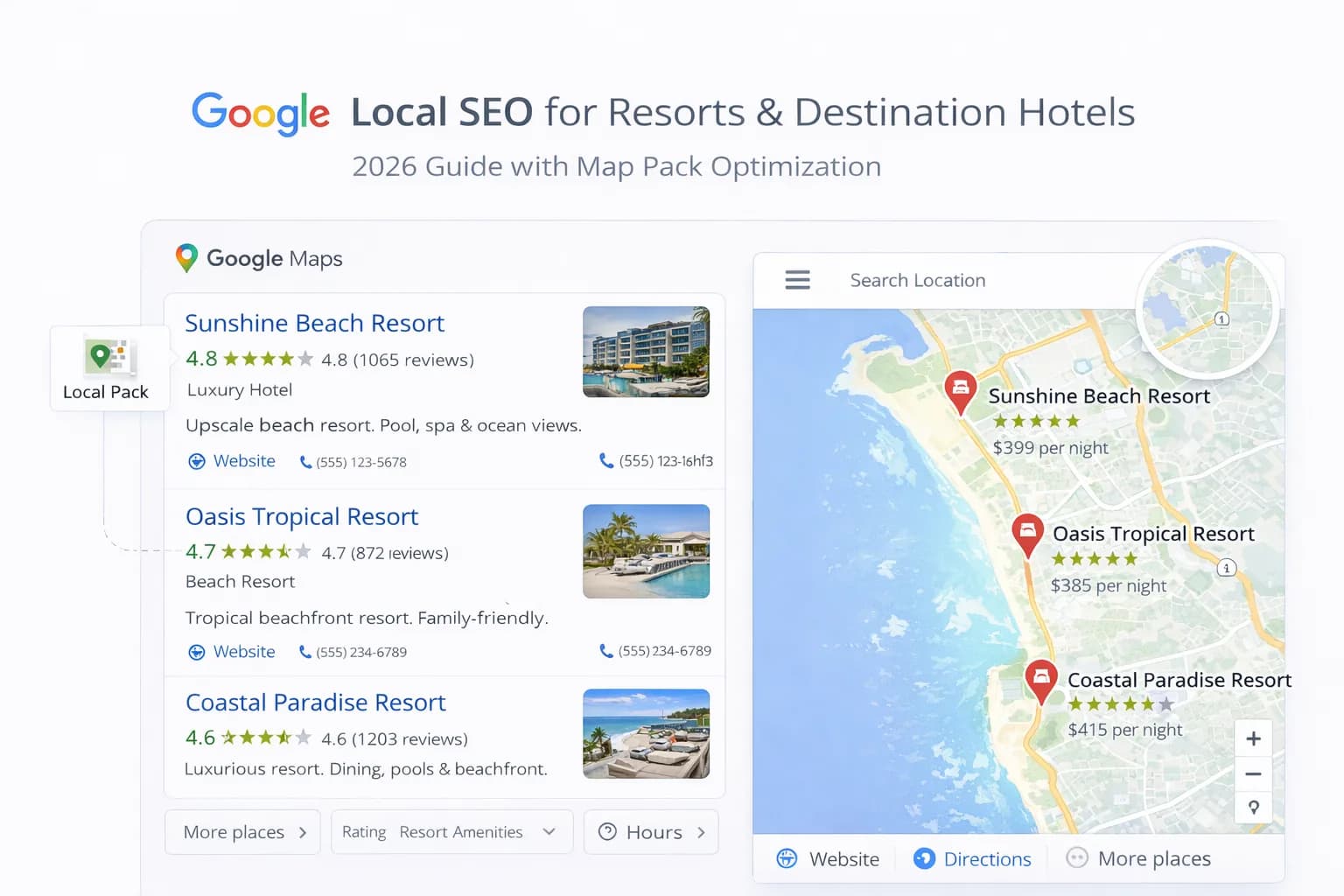
Resorts and destination hotels win when guests can picture the trip in seconds: the beach, the spa, the slopes, the golf course, the hiking trail. Local SEO makes this discovery easy. It helps your property appear in Google Maps, the local pack, and organic results for seasonal and activity-led searches—then guides guests to a fast page where they can book direct.
This guide gives a practical system for local SEO across resorts. You will learn how to structure destination and activity pages, optimise Google Business Profile (GBP), build reviews and local links, plan content by season, and measure success with clear KPIs. Use these steps to reduce OTA dependency and grow direct bookings across your high and shoulder seasons.
1. The local SEO strategy for resorts (plain-English)
Local SEO means matching your pages and profiles to the exact ways people search in your destination. For a resort, this includes place queries ("spa resort in Bath"), activity queries ("family ski hotel in the Highlands"), season queries ("summer beach break Cornwall"), and occasion queries ("coastal wedding venue"). Your job is to build one strong page per intent, connect it to a complete GBP, and keep the experience fast on mobile.
Core pillars
- Pages by intent: location, seasons, activities, facilities, and occasions.
- Google Business Profile: accurate categories, attributes and photos; link to the relevant page.
- Reviews and photos: fresh, specific and honest; reply within 48 hours.
- Local authority: links and mentions from official and relevant local sources.
- Mobile speed: fast pages win on poor connections common in rural areas.
For the foundations, see our Hotel SEO services, our landing page blueprint and GBP optimisation guide. If you manage several properties, align with multi-property geo optimisation.
2. Build the right pages: destination, season and activity
Each high-intent topic gets its own page. Do not cram summer, spa and weddings into a single generic page. Keep pages short, visual and factual with a clear booking path and local FAQs.
Essential resort page set
- Resort landing page (core): where you are, who it suits (families, couples, groups), top USPs, gallery, booking widget.
- Season pages: Winter (ski/sauna), Spring (hiking/spa), Summer (beach/pool), Autumn (wellness/food).
- Activity pages: Spa days, Golf breaks, Ski weekends, Diving/snorkelling, Cycling, Walking, Kids club.
- Occasion pages: Weddings, Meetings & Events, Retreats, Group stays.
- Logistics pages: Getting here, Parking & transfers, Local area map, Weather & what to pack.
Keep copy straight and practical. Use headings like "Parking and transfers", "Lift passes and rentals", "Family rooms and interconnecting". Add short FAQs to reduce calls and emails.
3. On-page rules that lift both rankings and bookings
The best local pages answer the obvious questions first, load quickly, and show proof. Search engines reward that clarity. So do guests.
Checklist per page
- Title: [Resort/USP] in [Destination] | [Brand]. Keep location explicit.
- Meta description: Location + concrete USPs + "Book direct for [benefit]". Preview with Meta Tags Analyzer.
- Above the fold: headline with location/USP, compact booking widget, direct-booking perk, trust snippet.
- Sections: location snapshot, rooms, amenities, activity detail, gallery, offers, FAQs, final CTA.
- Schema: Hotel + FAQ + Breadcrumb where relevant.
- Speed: compress hero, lazy-load below the fold; test with Page Speed Checker.
For copy patterns that earn clicks, see our meta titles & descriptions guide.
4. Optimise Google Business Profile for destination intent
Your GBP is often the first view a traveller sees. Make it complete, visual and aligned with your landing pages. Link the "Website" button to the most relevant page (season, activity, or resort landing) with UTMs.
GBP essentials
- Primary category Hotel (or Resort if accurate); add secondary categories (Spa, Wedding Venue, Golf Course).
- Attributes: beach access, pool, spa, parking, EV charging, ski-in/ski-out, family rooms, pet-friendly.
- Photos: exterior, rooms, bathrooms, pool/spa, beach/slope/golf, dining, kids club, accessibility features.
- Q&A: lift passes? transfers? parking fees? breakfast hours? kids' activities?
- Updates (Posts): seasonal offers, events, closure dates, refurb updates—short and factual with a CTA.
Scan consistency across properties with the GBP Consistency Checker.
5. Reviews and user-generated content: fuel for local trust
Resorts sell experiences. Ask for reviews that mention the season or activity guests enjoyed. This adds helpful language to your profiles and pages and can lift conversions for the next season.
Simple review flow
- Send a short post-stay email/SMS within 48 hours with direct links to GBP and your site.
- Prompt for specifics: "How was the spa?" "Was parking easy?" "How were the slopes?"
- Reply to all reviews with one concrete detail and, if needed, one improvement.
Use fresh photos from each season across pages and GBP. Outdated winter images in July harm trust.
6. Build local authority without spam
You do not need hundreds of random links. Aim for a small set of relevant local mentions that make sense for a traveller deciding where to stay.
High-quality local sources
- Official destination sites and tourism boards (what-to-do pages, event listings).
- Resort-area attractions and activity partners (golf, dive centres, ski schools, spas).
- Local transport providers (airport transfer partners, regional rail/bus pages).
- Regional media and credible travel guides that feature your resort.
Avoid low-value directories. One relevant tourism board link can beat dozens of weak listings.
7. Seasonal content calendar that matches demand
Resorts live on seasonality. Publish pages and updates well ahead of the booking window and refresh copy and photos as the season changes.
Simple cadence
- 90–120 days before peak: update season pages, add packages, refresh photos.
- 60 days before: push GBP Updates; add local event tie-ins; check price parity on key dates.
- During season: weekly UGC/review highlights; small offer tests for shoulder weeks.
- Post-season: recap content, collect reviews, add FAQs for next year.
8. Mobile speed and CWV: many guests browse on flaky Wi-Fi
Rural/remote destinations often mean slower connections. Fast, stable pages keep guests engaged. Good Core Web Vitals (CWV) also help organic stability.
Performance checklist
- Compress hero images; prefer modern formats; set width/height to avoid layout shift.
- Lazy-load galleries and iframes; no auto-play video above the fold.
- Keep booking widget light and keyboard-accessible.
- Limit third-party scripts on core landing pages.
Learn CWV basics at web.dev (Core Web Vitals). Test speed with the Page Speed Checker. Track how answer-style results shift with the AEO & GEO Tracker.
9. Avoid cannibalisation across properties or themes
If you manage several resorts or many themed pages, overlap can make rankings unstable. Assign keyword ownership and internal links so each page has a clear job.
Guardrails
- One page per high-intent theme per resort (e.g., "Spa weekends in [Destination]").
- Unique photography and testimonials per page; avoid reusing the same gallery.
- Internal links from destination hubs to specific season/activity pages.
- GBP website link points to the matching page (not always the homepage).
Multi-property? Start with this geo framework.
10. Step-by-step playbook (launch in one sprint)
- Pick one destination intent (e.g., "Summer beach resort in [Area]").
- Draft title/description and preview with Meta Tags Analyzer.
- Build/refresh the page with hero, booking widget, USPs, gallery, offers and local FAQs.
- Add Hotel + FAQ schema; confirm address/phone match GBP exactly.
- Optimise and compress media; test with Page Speed Checker.
- Update GBP: categories, attributes, seasonal hours, fresh photos; point Website link to this page with UTMs.
- Publish one GBP Update, two Q&A answers, and a short social teaser linking to the page.
- Request indexing; monitor Search Console for coverage and queries.
- Collect reviews mentioning the season/activity; reply within 48 hours.
- Review KPIs after 4 weeks; iterate headline, gallery order and FAQs.
Quick wins this week
- Add a "Getting here & transfers" block with travel times and parking details.
- Replace generic lifestyle shots with real photos of the pool, spa or slopes this season.
- Point the GBP website link to the most relevant season/activity page and add UTMs.
- Publish a short FAQ with 5–8 practical answers (check-in, breakfast hours, rentals, kids club).
- Compress the hero image and remove auto-play video above the fold.
- Ask last week's guests for a review that mentions the activity they did.
- Add internal links from your destination hub to season and activity pages.
Common mistakes (and fixes)
- Mistake: One generic page trying to cover all seasons and activities. Fix: Split into focused pages with clear CTAs.
- Mistake: GBP linking to the corporate homepage. Fix: Link to the matching resort/season page with UTMs.
- Mistake: Stock photos and old galleries. Fix: Use current, honest images—include bathrooms and accessibility.
- Mistake: Slow pages on mobile. Fix: Compress media, lazy-load, and trim scripts.
- Mistake: Copy-paste descriptions across properties. Fix: Unique copy and local FAQs per resort.
- Mistake: Ignoring transport info. Fix: Add transfer times, parking details and maps.
How to measure success
Track simple KPIs with official tools.
- GA4: bookings/revenue from resort, season and activity pages.
- Search Console: impressions, clicks, CTR for destination and activity queries.
- GBP Insights: website clicks, calls, direction requests, photo views.
- PMS/CRM: direct share vs OTA by season; lead time and cancellation rate.
- Core Web Vitals: LCP/CLS/INP on resort and activity pages (field data).
Frequently Asked Questions
Useful references: Improve your local ranking on Google (GBP Help), Google Search Central: Hotel structured data, Core Web Vitals (web.dev), UNWTO tourism data & insights.
Conclusion
Local SEO for resorts is simple when you focus on real traveller needs. Build one page per season and activity, keep GBP complete and current, show real photos, answer practical questions, and make the booking path fast on mobile. Add a few credible local links, collect specific reviews, and measure the whole journey in GA4. Over time, you will own the destination terms that matter and turn more research moments into direct bookings.
See Technical SEO for Hotels
Kiril Ivanov
Performance Marketing Specialist
Kiril Ivanov is a digital marketing specialist with experience managing local, national and international campaigns for businesses ranging from growing independent companies to major consumer brands. His background includes leading advertising automation work for Michael Kors and working on campaigns involving Canon, Dormeo, esure, DLG Group, Village Gym, Cameron House, Crerar Hotels, Cromlix Hotel, Harrison Fund and the Advertising Standards Authority. His experience spans paid search, paid social, advertising automation, SEO, conversion optimisation and wider digital strategy across hospitality, retail, financial services, professional services and other competitive sectors.
View author profile →Related Hotel Marketing Guides
Continue with related topics to build a complete strategy.