Hotel Keyword Research: The Step-by-Step Guide
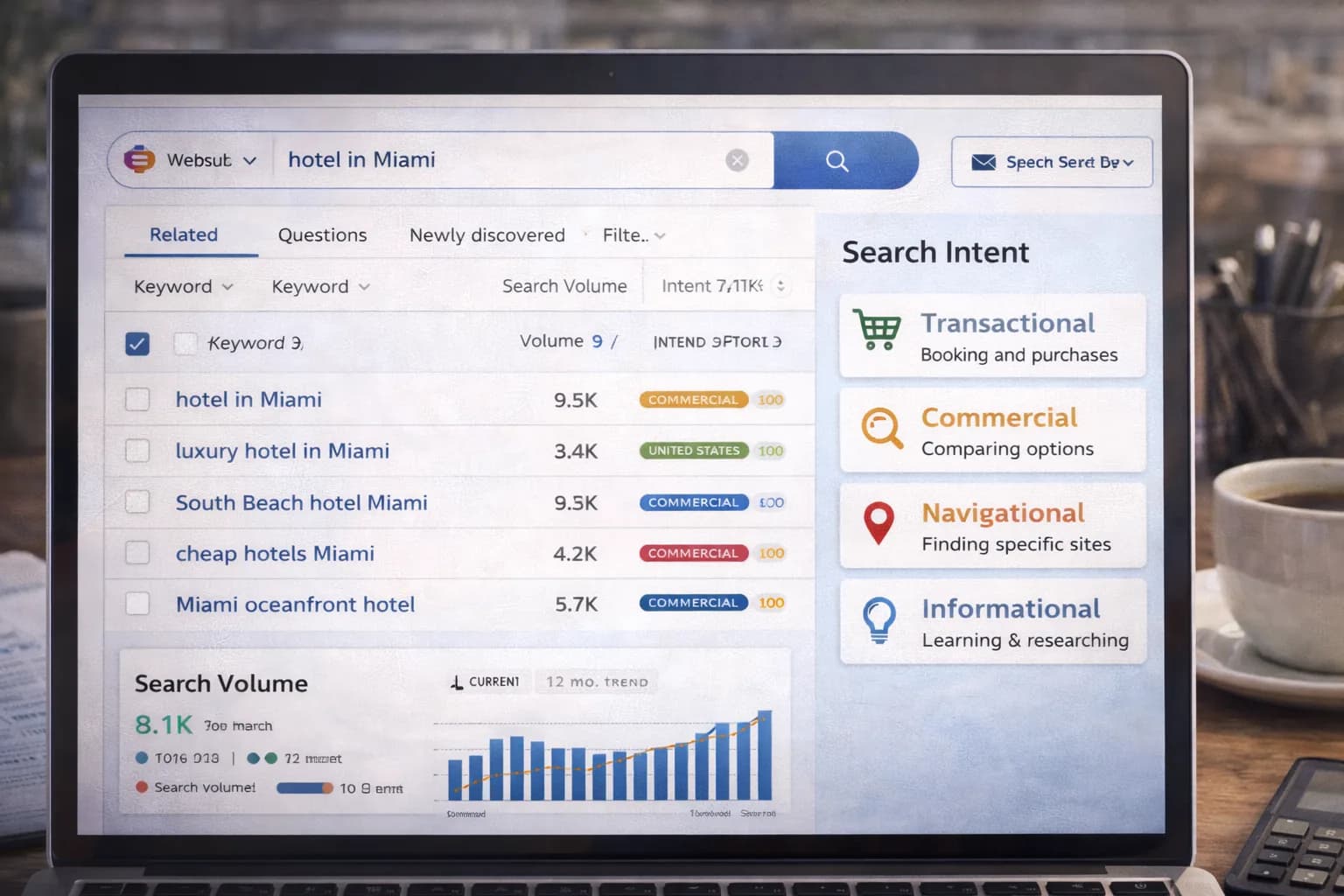
Most keyword research stops at a list of phrases. Hotels need more: questions guests actually ask, grouped by intent and mapped to pages that convert—rooms, offers, parking, breakfast, accessibility, and location.
This guide gives you a hotel-specific, repeatable process to discover keywords across Google, Maps and assistant surfaces, cluster them, and turn them into briefs that drive direct bookings.
1) Start with goals and surfaces (so you don’t chase vanity)
Decide what “winning” means and where it happens:
- Surfaces: classic results, Map Pack/GBP, Google Travel panels, and AI/answer experiences.
- Outcomes: purchases (direct bookings), brochure leads (groups/MICE), calls/directions (local).
- Templates: Rooms, Offers, Parking, Breakfast, Location, FAQ, Accessibility, Meetings.
Anchor the project in your Hotel SEO strategy so your research feeds a scalable site structure.
2) Build seed lists the hotel way (beyond generic terms)
Create three quick seed buckets:
- Core commercial: “[hotel] [city]”, “[city] hotel with parking/EV”, “family rooms [city]”, “spa hotel [city]”.
- Decision helpers: “breakfast times [hotel]”, “parking height [hotel]”, “near [station/venue]”, “accessible rooms [city]”.
- Experience & attractions: “[city] weekend break”, “near [arena/museum]”.
Use first-party sources before tools:
- Search Console for real queries to your brand/rooms/location pages.
- GA4 landing pages with purchases.
- Front desk email templates and guest FAQs.
- GBP Q&A and review themes (parking, breakfast, noise, accessibility).
Helpful docs:
About Search Console •
GA4 conversions
3) Expand with Google-native signals (fast and free)
- Autocomplete & People Also Ask to reveal phrasing and sub-topics.
- Maps searches for “[hotel near] [landmark/station]”, filter by amenities (parking, EV, breakfast).
- Travel modules: note facets (price, location, rating) that should appear in your copy and schema.
- Image/Video tabs for visual intent (room layout, breakfast spread, parking bays).
Keep a tidy spreadsheet with query, intent, page type, notes.
4) Classify intent like a hotelier
Use four intents and map each to a template:
- Transactional (book/stay) → Rooms, Offers.
- Local-commercial (choose property) → Brand/Property hubs, Location pages.
- Informational (decide details) → Parking, Breakfast, Accessibility, FAQ.
- Navigational (find you) → Brand + city, brand + phone/address.
This prevents “blog sprawl” and keeps focus on pages that reduce booking friction (see Landing Page Blueprint).
5) Cluster by meaning, not just exact match
Group close variants under one primary topic and note secondary phrases you’ll cover on the same page.
Examples
- Parking page (primary): “hotel parking [city]”
Secondary: “EV charging”, “parking height”, “overnight access”, “[hotel] car park”. - Breakfast page (primary): “breakfast times [hotel]”
Secondary: “menu”, “allergens”, “weekend hours”, “takeaway breakfast”.
Clustering makes content lighter, faster, and easier for assistants to reuse (AEO).
6) Add entity facts to each cluster (AEO & GEO friendly)
Attach machine-readable facts wherever possible:
- Parking cost, height limit, EV bays, overnight access.
- Breakfast times, dietary options, busy windows.
- Accessibility door widths, lift size, step-free routes.
- Location walking minutes to station/attractions.
Mark up with appropriate schema where relevant (Hotel/LodgingBusiness, FAQ, Breadcrumb). See Google structured data guide and our Review Schema (what’s allowed).
7) Prioritise with a hotel-weighted score
Don’t rely on volume alone. Score candidates by:
- Booking impact (page template and historical revenue).
- Friction removal (does it answer recurring pre-stay questions?).
- Seasonality & lead time (ski/summer events, concerts).
- Difficulty (SERP quality, map competition, required assets).
- Content gap (do you already have a good page?).
Use the Keyword Research tool to centralise lists and apply simple scoring.
8) Turn clusters into briefs (copy this structure)
For each priority cluster, create a one-page brief:
- URL & template:
/parking,/breakfast,/rooms/deluxe-double. - Primary query + 3–5 secondaries.
- User story: “A driver arriving late needs safe parking + EV info.”
- Key Facts: numbers and rules (entity facts).
- Components: hero + Key Facts, gallery, micro-FAQs, CTA.
- Internal links: Rooms, Offers, Location, FAQ.
- Measurement: purchases, revenue/1k sessions, CTR, GBP actions.
Use the on-page patterns in Visual Identity & UX.
9) Create supporting content only where it helps
Write guides after core templates ship:
- Location guides that genuinely help guests plan (transport, walking times). See Location Guides for AEO.
- FAQ collections that answer real questions succinctly (avoid fluff). See FAQ Content for Hotels.
- Event/venue pages with directions and travel times.
10) Local & brand terms: handle with care
- Maintain a clean Brand + City page with clear NAP and directions; sync with GBP categories and attributes.
- Avoid stuffing local pages—use Key Facts and helpful maps/photos.
- Keep your name/category policy-safe in GBP (no keywords stuffed into the name). Docs: Represent your business on Google.
11) Speed & UX: your keyword work depends on it
If your pages are slow or unstable, new keywords won’t convert.
- Target LCP ~2.5s and low CLS; compress media; set image dimensions.
- Validate with Website Speed and Core Web Vitals.
- Keep mobile CTAs sticky and readable (B1–B2 copy).
12) Measurement: prove keyword → booking impact
Build a simple scoreboard and review weekly.
GA4 (cross-domain on)
- Primary conversion =
purchase(value & currency). - Revenue/1k sessions by landing page template; purchase rate for Rooms/Offers/Parking/Breakfast.
- Annotate when new pages go live.
Docs: GA4 ecommerce.
Search Console
- Queries → URL mapping; CTR per URL; coverage & canonical status.
Search Console.
GBP
- Website clicks, calls, directions (leading indicators for local-commercial terms).
GBP Help.
Track positions and volatility with SERP Tracker and keep the project log in Resources.
13) 30-day hotel keyword sprint (copy this)
Week 1 — Inputs & seeds
- Export Search Console queries; pull GA4 converting landers.
- Gather front desk FAQs and GBP Q&A themes.
Week 2 — Expand & cluster
- Use autocomplete, PAA, Maps, Travel modules to expand.
- Cluster by template (Rooms/Offers/Parking/Breakfast/Location/Accessibility/FAQ).
Week 3 — Briefs & build
- Write 5 briefs (Parking, Breakfast, 2 Room types, Location).
- Ship two pages; add Key Facts, micro-FAQs, internal links.
Week 4 — Publish & measure
- Publish remaining three pages; compress media; validate CWV.
- Review SC CTR/URL, GA4 revenue/1k, GBP actions; plan iteration.
14) Common pitfalls (and safer alternatives)
- Chasing only head terms → focus on decision pages with clear Key Facts that convert.
- Creating dozens of thin blogs → build core templates first, then a small number of useful guides.
- Ignoring Maps/AEO → capture local-commercial and factual queries with GBP alignment and entity facts.
- Measuring by “positions” → report purchases, revenue/1k sessions, CTR per URL.
FAQ
Frequently Asked Questions
Conclusion
Effective hotel keyword research is intent-first and template-led. Use first-party data, expand with Google-native signals, cluster by meaning, enrich with entity facts, and brief pages that remove friction. Then measure CTR per URL and revenue/1k sessions—so your research turns into direct bookings, not just lists.
Turn research into pages that book
Kiril Ivanov
Performance Marketing Specialist
Kiril Ivanov is a digital marketing specialist with experience managing local, national and international campaigns for businesses ranging from growing independent companies to major consumer brands. His background includes leading advertising automation work for Michael Kors and working on campaigns involving Canon, Dormeo, esure, DLG Group, Village Gym, Cameron House, Crerar Hotels, Cromlix Hotel, Harrison Fund and the Advertising Standards Authority. His experience spans paid search, paid social, advertising automation, SEO, conversion optimisation and wider digital strategy across hospitality, retail, financial services, professional services and other competitive sectors.
View author profile →Related Hotel Marketing Guides
Continue with related topics to build a complete strategy.