Schema for Hotels: Core Entities, Rooms, Offers, and FAQs
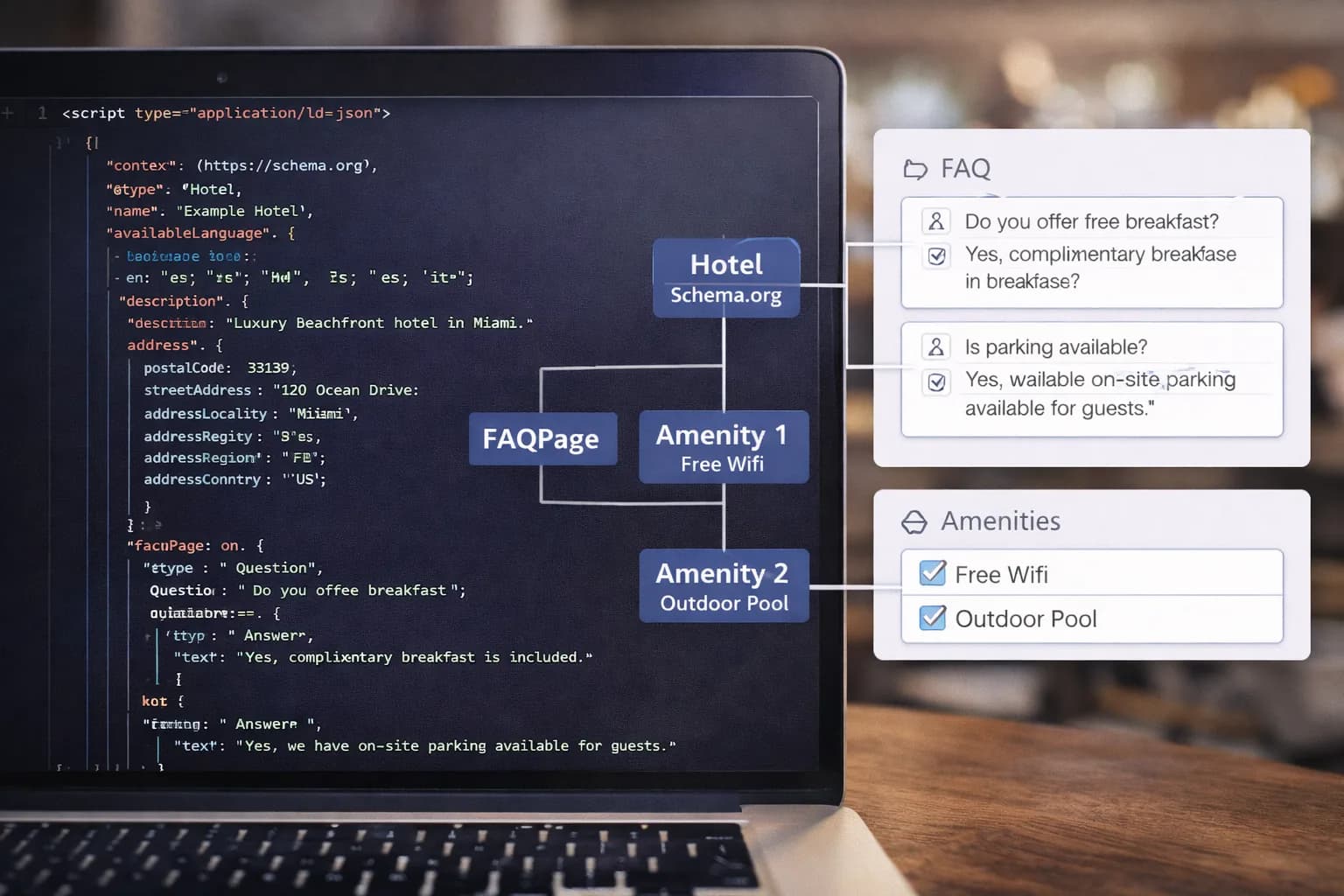
Structured data helps search engines understand your hotel, rooms, amenities, and offers. When implemented well, schema reduces ambiguity, strengthens entity recognition, and improves eligibility for rich results. It will not fix thin content or poor UX by itself — but it does make your best content easier for search and AI assistants to interpret.
This guide shows exactly how hotels should implement schema across the site: brand, property, rooms, offers, FAQs, and supporting entities like breadcrumbs and reviews.
Recovery note
GSC showed the old schema URL and this canonical guide both earning impressions. The old
/blog/schema-markup-hotels-guide
URL redirects here, so this page is the canonical schema resource.
1) Why schema matters for hotels
Hotels operate with layered information: a brand entity, multiple property entities, room entities, and seasonal offers. Schema gives search engines a clean, machine-readable map of those relationships.
- Clarifies brand → property → room/offer hierarchy.
- Reduces ambiguity for amenities, location, and policies.
- Supports Search appearance features (where eligible).
- Improves AEO/GEO readiness by tying content to entities.
Learn more about the bigger picture in our Hotel SEO services and the IA guide Hotel Information Architecture.
2) The right types: Hotel vs LodgingBusiness (and friends)
At the property level, use Hotel (a subtype of LodgingBusiness). For groups, represent the brand as Organization (site-wide) and link each property (Hotel) back to it via brand/parentOrganization.
Commonly used types for hotels:
- Organization — brand-level entity (logo, legal name, contact).
- Hotel — individual property pages (address, amenities, check-in/out).
- PostalAddress — nested in
address. - GeoCoordinates — latitude/longitude for maps and AI systems.
- ImageObject / VideoObject — media galleries and room tours.
- Offer / AggregateOffer — best used for room/board packages.
- Product (careful) — only if modelling a package as a “product”.
- FAQPage — FAQs block on property or policy pages.
- BreadcrumbList — across all indexable templates.
- WebSite — optional
SitelinksSearchBox, where relevant. - Review / AggregateRating — avoid “self-serving review” pitfalls.
- LocalBusiness (café/spa/restaurant) — for on-property venues.
Authoritative references:
- Google’s guidance on structured data.
- Google’s notes on Search Gallery eligibility.
- Schema.org types for Hotel and LodgingBusiness.
- Best practices for review snippets and restrictions.
3) Brand (Organization) markup — site-wide foundation
Add Organization JSON-LD on the homepage (and you may include it site-wide) with:
name,url,logo,sameAs(official profiles only).contactPoint(reservations / customer service phone, if used).brandvsparentOrganizationusage for sub-brands.
This brand entity should connect to each property entity via brand on the property page. Keep the brand logo file stable and referenced consistently.
4) Property (Hotel) markup — the core of your implementation
On each property page:
Required / recommended fields
@type: Hotel,name,description,url,image(multiple).address(PostalAddress),geo(GeoCoordinates).telephone,email(if public),tourBookingPage(if relevant).amenityFeature(e.g., Free Wi-Fi, Parking, Pool, Spa, Gym).checkinTime,checkoutTime.starRating(if officially rated),petsAllowed(policy).brand(link to Organization),priceRange(indicative).
Good practice
- Use canonical, crawlable room URLs and link them from the property page.
- Reference local attractions from the location hub, not as duplicate text here (see IA guide).
- Add
sameAsto authoritative listings (e.g., GBP) only where you fully control consistency.
Internal QA: validate coverage in Crawlability Tool and index status in Indexed Pages.
5) Rooms & offers — modelling inventory without over-promising
Two safe patterns work for most hotels:
A) Room detail pages (preferred where UX supports it)
- A unique URL per room type.
- Mark up the page as
Hoteland include a nestedOfferdescribing that room’s typical price range, occupancy, and board basis. - Link from
Offerto the booking engine deep link viaurl.
B) Property page with room sections (simple sites)
- Keep all room types on the property page.
- Add an array of
Offerobjects under the property’sHotelentity.
Key fields for Offer
name(e.g., “Deluxe King Room – Bed & Breakfast”).description(key inclusions).availability(don’t hard-code dates you can’t maintain).priceSpecification(useminPrice/maxPriceif pricing fluctuates).eligibleCustomerType(business/leisure if relevant).itemOfferedpointing to anAccommodation-like object (or clearly to the room section).
When in doubt, favour evergreen data (amenities, occupancy, inclusions) and avoid daily rates you cannot keep current.
6) FAQPage — policy clarity that helps users and search
If you publish a dedicated FAQ section (cancellation, check-in, parking, pets, accessibility), mark that block as FAQPage.
- Keep Q&A pairs truthful, non-duplicated, and guest-centric.
- Only mark up content visible on the page.
- Do not use FAQ markup for marketing fluff.
Connect this from your Policies or Help pages and your property page.
7) BreadcrumbList — the glue for your hierarchy
Add BreadcrumbList to all indexable templates and keep it aligned to your site IA:
8) Practical implementation examples
If your team needs a faster path from theory to deployment, start with a small set of valid, reusable patterns and expand from there.
Hotel example
{
  "@context": "https://schema.org",
  "@type": "Hotel",
  "name": "The Grand Oceanview Hotel",
  "url": "https://www.grandoceanview.com",
  "telephone": "+1-555-123-4567",
  "address": {
    "@type": "PostalAddress",
    "streetAddress": "123 Oceanview Drive",
    "addressLocality": "Malibu",
    "addressRegion": "CA",
    "postalCode": "90265",
    "addressCountry": "US"
  },
  "geo": {
    "@type": "GeoCoordinates",
    "latitude": 34.0259,
    "longitude": -118.7798
  },
  "image": [
    "https://www.grandoceanview.com/images/hotel-exterior.jpg",
    "https://www.grandoceanview.com/images/lobby.jpg"
  ],
  "checkInTime": "15:00",
  "checkOutTime": "11:00",
  "petsAllowed": true
}
FAQ example
{
  "@context": "https://schema.org",
  "@type": "FAQPage",
  "mainEntity": [
    {
      "@type": "Question",
      "name": "What time is check-in?",
      "acceptedAnswer": {
        "@type": "Answer",
        "text": "Check-in begins at 3:00 PM. Early check-in may be available upon request and subject to availability."
      }
    },
    {
      "@type": "Question",
      "name": "Is parking available?",
      "acceptedAnswer": {
        "@type": "Answer",
        "text": "Yes, we offer self-parking and valet parking. Check the parking page for current charges and availability."
      }
    }
  ]
}
Next.js JSON-LD pattern
export default function PropertyPage() {
  const schema = {
    "@context": "https://schema.org",
    "@type": "Hotel",
    name: "The Grand Oceanview Hotel",
  }

  return (
    <>
      <script
        type="application/ld+json"
        dangerouslySetInnerHTML={{ __html: JSON.stringify(schema) }}
      />
      {/* Page content */}
    </>
  )
}
If you need multiple schema blocks on one page, either output several <script type="application/ld+json"> tags or use a single @graph structure. Keep the implementation simple, testable, and consistent with visible page content.
9) Testing and common mistakes
Run every important template through both Google’s Rich Results Test and the Schema Markup Validator before and after release.
Common mistakes
- Invalid JSON caused by trailing commas or broken quotes.
- Required fields missing from a schema type.
- Schema values that do not match visible page content.
- Using review markup for self-published testimonials.
- Hard-coded availability or pricing that drifts from reality.
The rule is simple: if the data cannot stay accurate, do not mark it up.
10) Where schema fits into a hotel SEO recovery plan
Schema is usually not the only reason a hotel page is not ranking, but it is a useful recovery layer after crawl, canonical and content issues are fixed. Use it to make the rebuilt page set easier to understand:
- Add
Organization,WebSiteand clearsameAsreferences at brand level. - Add
HotelorLodgingBusinessonly where the page represents a real property, not a generic article. - Add
Serviceschema to commercial SEO, PPC, web design and CRM service pages where the service is visible on the page. - Use
BreadcrumbListconsistently so Google understands the replacement architecture. - Keep FAQ schema limited to visible, useful questions.
For a practical commercial implementation path, start with hotel SEO services, then review the hotel SEO by location hub and the anonymised 2026 indexation recovery case study.

Kiril Ivanov
Performance Marketing Specialist
Performance marketing specialist with 6 years of experience in hotel SEO, PPC, and email marketing. Kiril helps independent hotels, boutique properties, and resort chains reduce OTA dependency and increase direct bookings through strategic search optimization, paid media campaigns, and data-driven marketing.
View author profile →Related Hotel Marketing Guides
Continue with related topics to build a complete strategy.