Hotel Website Migration SEO Checklist (2026 Edition)
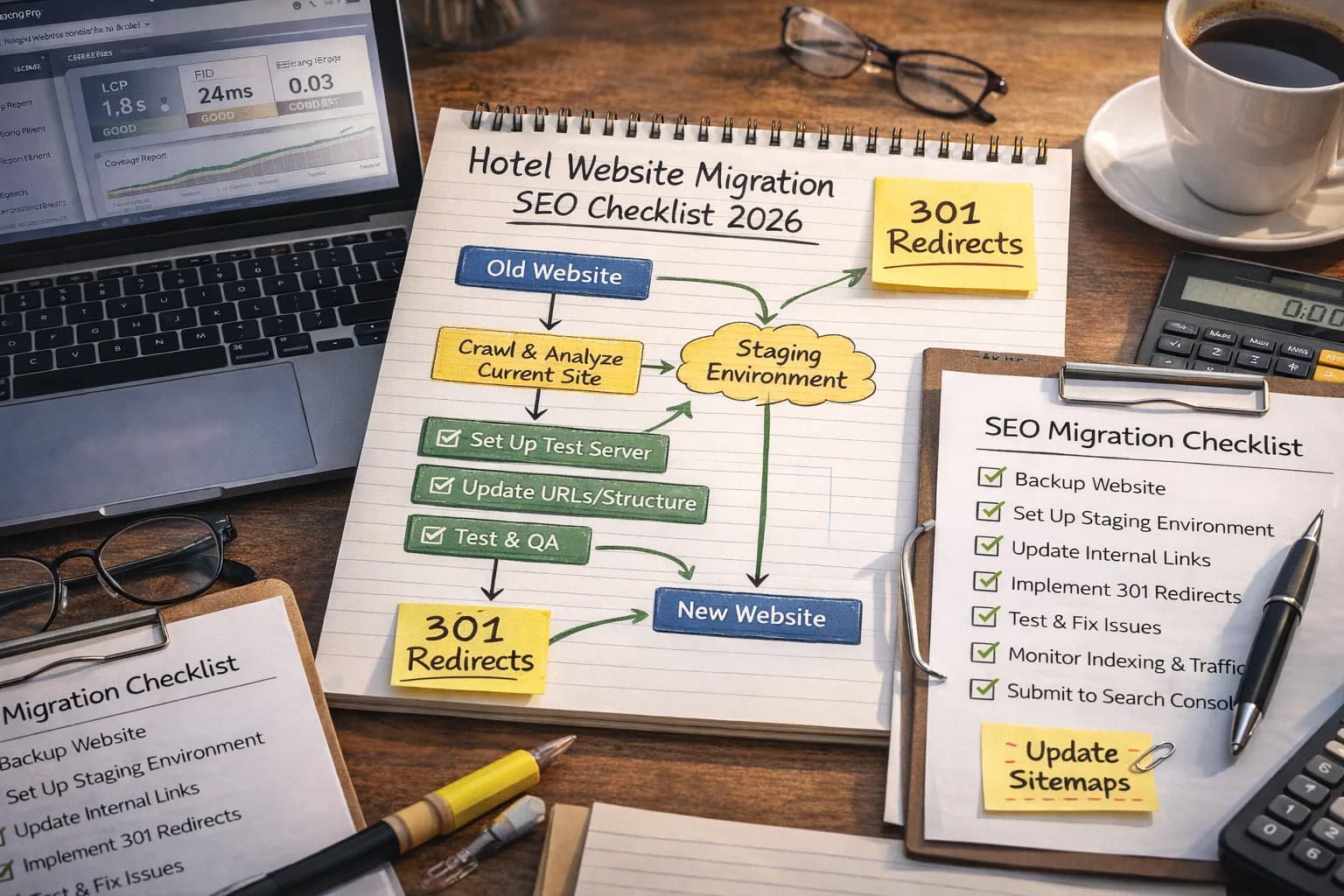
Re‑platforming or redesigning your hotel website is one of the riskiest things you can do to organic performance. A well‑planned migration can preserve (and even grow) visibility and direct bookings. A rushed, purely design‑led launch can wipe out years of SEO work overnight.
This checklist is written specifically for hotels and resorts. It walks through the full migration lifecycle – from deciding whether to move, through pre‑launch audits and redirects, to post‑launch monitoring – so you can launch with confidence instead of crossing your fingers.
1. Decide If You Really Need a Migration
Many hotel websites are rebuilt for cosmetic reasons when the real problems are content, tracking and offers. Before committing to a new platform or design, be clear on why you are changing and what success looks like.
Good reasons to migrate
- Current CMS or booking engine blocks essential SEO changes (titles, canonicals, schema, internal links).
- Site is slow on modern devices even after optimisation work, due to heavy templates or legacy code.
- Major brand refresh or repositioning where structure, content and imagery all need a reset.
- Merging or splitting brands, domains or properties in a group structure.
Red flags for a purely cosmetic rebuild
- No clear KPI beyond "looking more modern" – little discussion of organic revenue, direct bookings or conversion rate.
- The same content is being moved 1:1 with minimal improvements.
- There is no migration budget for redirects, content mapping, analytics or QA.
If you are mostly unhappy with performance rather than technology, a focused technical SEO project can often deliver gains faster and with less risk than a full rebuild.
2. Pre‑Migration Audit and Benchmarking
Before changing anything, capture how the site performs today. This becomes your baseline for measuring impact and spotting issues quickly after launch.
Technical and content benchmarks
- Crawl the current site with a professional crawler to capture all indexable URLs, status codes, titles, headings and canonicals.
- Export key data from Google Search Console – queries, pages, click/ impression trends and coverage reports.
- Record current Core Web Vitals for priority templates via PageSpeed Insights or CrUX‑based reports.
- Document top‑performing pages by revenue and bookings, not only by traffic. Room, offer and location pages usually lead the list.
Combine this with a structured technical SEO audit so you know which issues should be fixed in the new build rather than ported across.
3. Information Architecture and URL Strategy
A migration is the perfect time to tidy up your site architecture. For hotels, that usually means clarifying how rooms, offers, meeting spaces, restaurants and local content are grouped and linked.
Keep URLs as stable as possible
- Avoid changing URL paths unless there is a clear benefit (removing parameters, clarifying structure, fixing language folders).
- If you must change URLs, define clear mapping rules by template – for example,
/rooms/deluxe‑sea‑view/instead of opaque IDs. - Decide early whether you will use subfolders (e.g.
/en/,/es/) for languages or separate domains in multi‑country setups.
Use your audit list of top‑performing URLs as a non‑negotiable set. Those pages should keep their URLs or have one‑to‑one redirects with no unnecessary hops.
4. Redirect Mapping: The Backbone of a Safe Move
Redirects are often where hotel migrations succeed or fail. Every relevant, crawlable URL on the old site should have a considered destination on the new site – not just a general redirect to the homepage.
Building a clean redirect map
- Export all current URLs from your crawl and from server logs where possible.
- Prioritise templates and pages that drive organic revenue and non‑brand traffic.
- For each URL, assign the closest relevant new destination. For retired content, consider redirecting to a related guide or category rather than the homepage.
- Use 301 redirects for permanent changes, and avoid redirect chains and loops.
If your IT or web agency manages redirects, agree ownership and testing well before launch. This is not a step to leave to the last week.
5. Content and Template Considerations
Design changes often shift headings, copy blocks and internal links. Small layout decisions can have a big impact on how search engines and guests understand your pages.
Protect and enhance key content
- Keep one clear
h1per page that aligns with the core keyword and guest intent. - Ensure room, offer and location pages keep rich descriptive content – migrations that strip text in favour of images often lose rankings.
- Maintain internal links to important pages within copy and modules such as "Popular rooms" or "Nearby attractions".
- Review metadata templates as part of your on‑page optimisation so titles and descriptions do not regress.
Structured data and AEO/GEO signals
- Carry over valid Hotel, LocalBusiness, FAQ and Review schema where appropriate.
- If you are introducing new templates (for example, local area guides), consider FAQ or HowTo markup to support answer‑engine optimisation.
- Make sure name, address and phone (NAP) remain consistent with your local SEO and GBP setup.
6. Pre‑Launch QA Checklist
Before making the new site live, run a structured QA that covers both user experience and technical SEO. In practice this means a mix of manual checks and automated crawls.
Technical checks in staging
- Crawl the staging site (ideally behind password access) to look for broken links, missing titles or large changes in copy.
- Check that new URLs return 200 status codes and that legacy URLs are correctly redirected.
- Verify canonical tags, hreflang (if used) and meta robots tags on key templates.
- Test Core Web Vitals on important templates and compare with your benchmarks from the CWV guide.
User‑journey checks
- Walk through search > landing page > booking journeys on mobile and desktop.
- Confirm tracking is firing correctly for key events (search, room selection, booking engine hand‑off).
- Verify that special offers, packages and event pages are easy to discover from the homepage.
7. Launch‑Day Actions
On launch day, coordination matters. Aim for a quiet window where stakeholders are available and tracking, redirects and monitoring are all in place.
- Deploy redirects at the same time as the new site goes live – not hours or days later.
- Update XML sitemaps and submit them in Search Console once you are confident URLs are stable.
- Confirm that robots.txt is not accidentally blocking key sections or environments.
- Check that analytics, tag managers and consent banners work as expected.
During the first 24–48 hours, keep a close eye on server error logs and manual spot checks for important landing pages and booking flows.
8. Post‑Launch Monitoring (First 12 Weeks)
Some fluctuation after a migration is normal, but large or persistent drops need quick investigation. A simple, focused monitoring plan can catch issues before they become long‑term problems.
What to watch in Google Search Console
- Coverage reports for spikes in errors, excluded URLs or soft 404s.
- Performance reports for brand and non‑brand queries to key pages.
- Core Web Vitals trends for main templates over the following weeks.
Pair this with analytics data – especially organic revenue and booking volume – to judge the real commercial impact beyond clicks and impressions.
9. Common Migration Mistakes to Avoid
Most migration problems come from process gaps rather than obscure technical issues. Being aware of common pitfalls helps you design them out of your project from the start.
- Launching on a different domain without a full redirect plan and brand update strategy.
- Removing content that used to rank and convert without offering a better alternative.
- Allowing multiple versions of the new site to be indexable (staging, dev, legacy URLs).
- Underestimating the impact of small technical changes to booking engines or tracking.
When in doubt, refer back to your overall SEO strategy and commercial goals. A successful migration should support that plan, not derail it.
10. Bringing It All Together
Website migrations will never be completely risk‑free, but they do not need to be scary. With a clear audit, careful redirect planning, strong QA and post‑launch monitoring, most hotels can move platforms or designs without sacrificing hard‑won organic visibility.
If you are planning a migration in the next 6–12 months, it is worth involving a specialist hotel SEO partner early. That way, SEO, AEO and GEO considerations are built into the project from day one rather than bolted on at the end.
Schedule a migration review call
Kiril Ivanov
Performance Marketing Specialist
Kiril Ivanov is a digital marketing specialist with experience managing local, national and international campaigns for businesses ranging from growing independent companies to major consumer brands. His background includes leading advertising automation work for Michael Kors and working on campaigns involving Canon, Dormeo, esure, DLG Group, Village Gym, Cameron House, Crerar Hotels, Cromlix Hotel, Harrison Fund and the Advertising Standards Authority. His experience spans paid search, paid social, advertising automation, SEO, conversion optimisation and wider digital strategy across hospitality, retail, financial services, professional services and other competitive sectors.
View author profile →Related Hotel Marketing Guides
Continue with related topics to build a complete strategy.