Heatmaps & Scrollmaps for Hotels
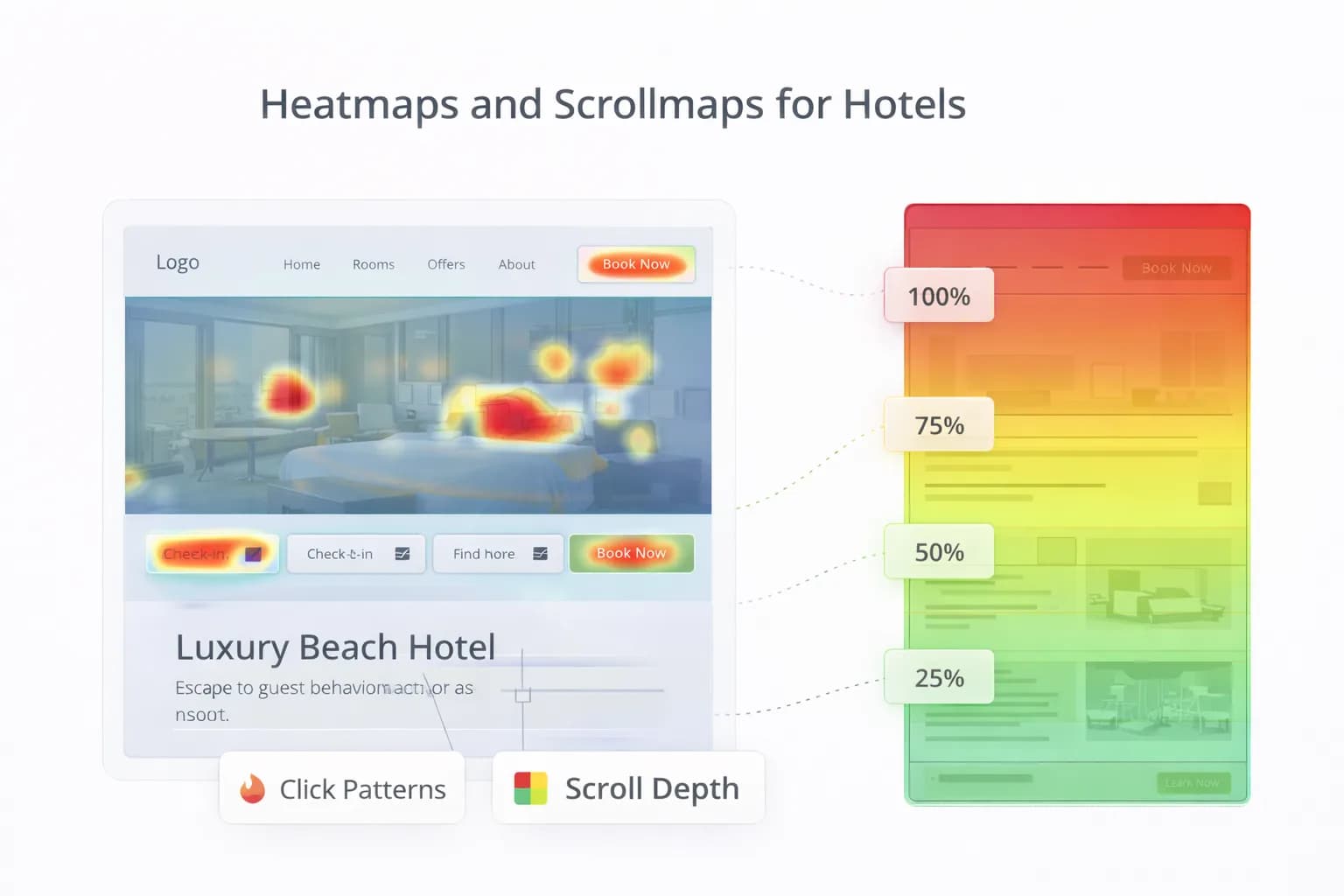
Great hotel UX isn’t guesswork. Heatmaps (where people click/tap) and scrollmaps (how far they scroll) show exactly how guests use your pages—on real devices, with real intent. Used well, they reveal friction, support A/B tests, and lift direct bookings.
This guide gives hotels a practical approach: clean set-up, privacy and consent, a repeatable analysis framework, accessibility checks, and a 30-day plan to turn insights into revenue.
1) What heatmaps and scrollmaps actually answer
Use them to validate decisions—not to replace analytics.
They answer:
- Are guests seeing the CTA and key facts above the fold on mobile?
- Which images or blocks get clicks that don’t progress bookings?
- Where do users rage-click or abandon the page?
- Do vital FAQs (parking, breakfast, accessibility) get attention?
They don’t answer alone:
- Which channel or campaign created the session? (use GA4)
- Revenue impact of a change? (run an A/B test; see A/B Testing for Hotels)
For performance context, keep Core Web Vitals healthy—slower pages distort behaviour; see web.dev’s Core Web Vitals guide and validate with Website Speed.
2) Pages to prioritise (hotel-specific)
Start where intent is clearest and impact is largest:
- Rooms & Offers pages (closest to booking).
- Parking, Breakfast, and Location hubs (answer key pre-stay questions).
- Homepage (navigation & “key facts” block).
- FAQ hub (if it drives support reduction or booking completeness).
Pair this with our 2026 CRO baseline in Hotel CRO: 2026 Insights.
3) Set-up that won’t break speed or privacy
- Load your chosen UX tool after consent and after primary content (defer where supported).
- Sample only what you need (e.g., 5–20% of traffic, mobile-first).
- Block on Consent Mode v2 where applicable and align with your Privacy Policy. See Google’s guidance on consent and tagging: Consent Mode.
Tagging hygiene (GTM):
- Use a Trigger Group: “Consent granted” + “Pageview”.
- Exclude booking confirmation if your vendor forbids third-party scripts.
- Re-test LCP/CLS after enabling the tool (don’t accept a speed tax).
4) A simple analysis framework (copy/paste)
Run this on each priority page type. Keep paragraphs ≤3 sentences in your notes.
A) Visibility (scrollmap)
- % of users who see Primary CTA and Key Facts without scrolling.
- Where does 50% of traffic drop out (fold line)?
- Do modals/popups steal attention above the fold?
B) Attention (heatmap)
- Clicks on non-interactive elements (hero images, dividers) = confusion.
- Interaction on low-value links (Instagram icon, footer legal) = leak.
- Interaction on FAQ toggles and room inclusions = decision support (good).
C) Friction
- Rage clicks or repeated taps on dead areas.
- Hover-only behaviour on desktop elements that don’t exist on mobile.
- Tiny tap targets (minimum 44×44 px) or CTAs outside thumb reach.
D) Next step
- Create 1–2 testable changes (see Section 8) and track with GA4 purchases and revenue/1k sessions. Docs: GA4 conversions.
5) What “good” looks like (benchmarks to aim for)
- ≥80% of mobile users see the primary CTA on Rooms/Offers.
- ≤10% of clicks on non-interactive visuals above the fold.
- ≤20% of sessions dominated by navigation churn (home ⇄ rooms ⇄ home).
- Key Facts block gets visible attention on mobile (top third of page).
- FAQ toggles: view → continue rate improves after adding concise answers.
Benchmarks are directional. Always confirm impact with controlled tests: what to test first.
6) Mobile-first heuristics for hotel pages
- Sticky CTA (availability) that doesn’t hide content; reachable with thumb.
- Key Facts above the fold: parking cost/height/EV, breakfast times, check-in/out, accessibility highlights, walking times to transport. See assistant-ready content.
- Tap targets ≥44×44 px; correct keyboards (numeric for postcode/phone).
- Media: compress, defer non-critical scripts; re-check with Mobile-Friendly.
7) Accessibility signals you can see in heatmaps
- Repeated taps on icons without labels → add text labels or ARIA.
- CTA not reached → colour contrast/size/placement issues.
- Accordion controls only expanding via tiny arrows → make the whole row clickable.
Cross-reference with WCAG guidance and keep UX in plain language. See the general quality rules in Google Search Essentials.
8) Common findings → pragmatic fixes
Finding: Users click hero images; CTA ignored.
Fix: Replace sliders with single hero + headline + CTA; move Key Facts above fold. Then A/B test.
Finding: Heavy footer/menu clicks.
Fix: Add Room, Offers, Parking, Location quick links in the first screen; reduce menu depth.
Finding: Rage clicks on facility icons.
Fix: Make icons interactive with short labels (“EV chargers: 4 × Type 2”) and link to amenity hub.
Finding: Scroll drop before FAQs.
Fix: Put 3–5 micro-FAQs higher with concise answers; mark up only when genuine and needed (see FAQPage guidance).
Finding: Users miss fee/cancellation info.
Fix: Fee transparency block near CTA; short cancellation copy visible pre-engine.
9) Tie heatmap insights to GA4 (so wins show up in revenue)
- Add a GTM event for availability widget view and CTA click (e.g.,
view_item_list,select_item,begin_checkout). - Mark only purchase (and genuine leads) as conversions.
- Scoreboard to monitor: revenue/1k sessions by page, entrance, and variant.
- Annotate the dates you ship changes. GA4 docs: GA4 ecommerce events.
For the reporting layer, start with our Analytics Dashboard and the ROI approach in Measuring the ROI of Hotel SEO.
10) Booking engine considerations (don’t get blocked)
- Some engines prohibit third-party UX scripts—respect vendor rules.
- If allowed, exclude confirmation pages by trigger to avoid sensitive data capture.
- Maintain cross-domain continuity so bookings attribute correctly; see Cross-Domain Bookings.
11) Governance & privacy (UK/EU hotels)
- Document what’s recorded (mouse/touch heatmaps, not keystrokes).
- Honour consent; disable on “deny”.
- Update your Privacy Policy with tooling categories and retention.
- Log a monthly UX tool review: sampling rate, pages covered, performance checks.
For consent/analytics basics, see Consent Mode and keep site behaviour aligned with your policy.
12) 30-day rollout (repeat quarterly)
Week 1 — Set-up & baseline
- Add tool via GTM with consent gating; sample 10–20% of mobile.
- Pick 5 priority pages: Rooms (x2), Offers (x1), Parking, Location.
- Baseline GA4: purchases, revenue/1k sessions, availability clicks.
Week 2 — Analyse & decide
- Run the framework (Section 4) per page.
- Shortlist 2 changes: e.g., move Key Facts up; add sticky CTA.
Week 3 — Ship & test
- Implement changes and launch an A/B test for one page type.
- Monitor GA4 Realtime and DebugView; validate speed with Website Speed.
Week 4 — Measure & scale
- Compare revenue/1k sessions and purchase rate.
- Roll winners sitewide; document learnings in Resources.
- Queue next two pages.
FAQ
Frequently Asked Questions
Conclusion
Heatmaps and scrollmaps turn opinions into evidence. Prioritise high-intent pages, implement privacy-safe sampling, analyse with a clear framework, and ship small, testable fixes tied to GA4 purchases and revenue/1k sessions. Repeat quarterly and you’ll convert more of the traffic you already have.
Get a CRO plan grounded in real behaviour
Kiril Ivanov
Performance Marketing Specialist
Kiril Ivanov is a digital marketing specialist with experience managing local, national and international campaigns for businesses ranging from growing independent companies to major consumer brands. His background includes leading advertising automation work for Michael Kors and working on campaigns involving Canon, Dormeo, esure, DLG Group, Village Gym, Cameron House, Crerar Hotels, Cromlix Hotel, Harrison Fund and the Advertising Standards Authority. His experience spans paid search, paid social, advertising automation, SEO, conversion optimisation and wider digital strategy across hospitality, retail, financial services, professional services and other competitive sectors.
View author profile →Related Hotel Marketing Guides
Continue with related topics to build a complete strategy.