Automating Guest Feedback Collection
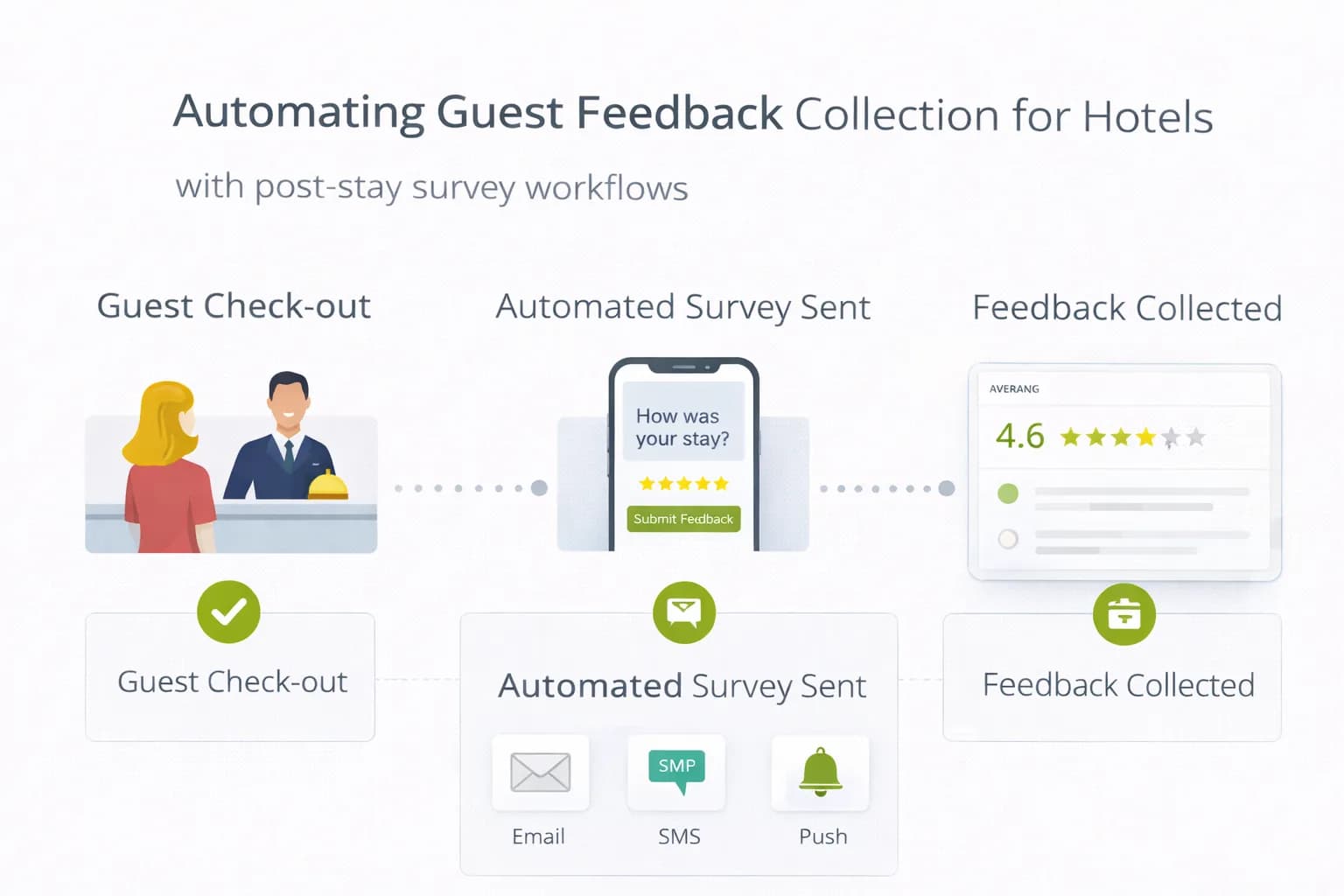
Manual surveys and ad-hoc emails miss critical moments. Hotels need a lightweight, automated feedback loop that spots issues during the stay and turns good stays into policy-safe Google reviews after checkout.
This guide shows you how to design a privacy-safe automation stack—timings, templates, routing, and measurement—so feedback actually improves ratings, CTR and bookings.
1) What a good hotel feedback system does (in plain terms)
- Catches problems while guests are still with you.
- Routes issues to the right team with ownership and a due date.
- Asks for public reviews only after service recovery, without incentives or gating.
- Measures outcomes in GA4 and your PMS/CRM, not just survey scores.
Pair this with your reputation playbooks: Increase Google Ratings and Handle Negative Reviews Professionally.
2) Compliance guardrails (keep it safe and simple)
- No incentives and no gating (don’t filter who can reach Google). See Google’s rules:
About reviews on Google and
Maps user-contributed content policy. - Lawful basis: for service messages and post-stay surveys, many hotels use legitimate interests with a clear opt-out. Read the UK ICO overview:
ICO: Legitimate interests. - Marketing vs service: if you add promotions, you’re in PECR/e-mail marketing territory—apply consent/soft-opt-in correctly.
ICO: PECR guidance. - Analytics: don’t send PII to GA4; track events/ids only.
GA4 collection guide.
3) The 3-stage feedback automation (copy this)
A) On-stay “Is everything OK?” message (no review ask)
- Trigger on night 1 for 2+ night stays at 18:00–19:30 local time.
- Channels: SMS/WhatsApp or email.
- CTA: a 1-question form (“Is everything OK?” Yes/No + comment).
- If No → auto-create a ticket for Duty Manager/Housekeeping/Maintenance.
B) Checkout-day satisfaction pulse
- Trigger 2 hours after checkout.
- 3–4 quick questions (staff, cleanliness, breakfast, room).
- If Positive → queue post-stay review ask for +24–48h.
- If Negative → open a case; suppress any review ask until resolved.
C) Post-stay Google review ask (24–48h later)
- Short, human copy; include your GBP review link.
- One reminder 4–6 days later to non-responders.
- Never incentivise. Keep reading level B1–B2.
Create/share review links from GBP: Share your profile & get reviews.
4) Routing logic that actually fixes things
- Themes: parking, breakfast, cleanliness, noise/temperature, maintenance, accessibility.
- Owners: Front Desk (general), Housekeeping, F&B, Maintenance, Duty Manager.
- SLA: on-stay issues acknowledged in 30 minutes, resolved within 12 hours.
- Escalation: unresolved cases ping Duty Manager and GM at +12h; add a make-right budget note.
- Close the loop: once resolved, send a short “Resolved?” message—no review ask until guest confirms they’re satisfied.
Document the workflow in your operations runbook and mirror the themes as on-site Key Facts and FAQ micro-cards (parking times, breakfast window, accessibility). See Trust-First UX and FAQ Content for Hotels.
5) Templates you can paste (edit names and contact)
On-stay (evening of night 1)
Hi [First name], it’s the team at [Hotel]. Is everything OK with your room?
[Yes, all good] / [No, there’s an issue] (tell us briefly)
Checkout-day pulse
Thank you for staying at [Hotel]. Quick feedback helps us improve.
How was your stay overall? ⭐⭐⭐⭐⭐ (tap to answer)
Optional comment:
Post-stay Google review ask
Thanks again for choosing [Hotel]. If you have a minute, would you share an honest review on Google? It helps other travellers and keeps us improving.
Leave a Google review → [link]
6) Where this lives on your website (and why it helps SEO)
- Add a Feedback link in the footer and a “Tell us how we did” card on the contact page; route to a simple form.
- After submission, the thank-you page can offer the Google review link (no gating—anyone can still reach it).
- Publish Key Facts on Rooms/Home to prevent friction; this also supports AEO (Answer Engine Optimisation). See Hotel SEO services and Structuring Content for AI Assistants.
7) Tooling stack (lean and fast)
- Feedback capture & routing: Feedback System (tags, owners, SLAs).
- Analytics & goals: GA4 with cross-domain purchase tracking (site → engine → confirmation). See Cross-Domain Bookings.
- Dashboards: Analytics Dashboard for revenue/1k sessions and reputation KPIs.
- Local presence: GBP Consistency to keep NAP and attributes aligned.
8) Content changes that cut complaints (and future negatives)
Turn frequent issues into visible answers:
- Parking: cost, height, EV bays, night access, map.
- Breakfast: hours, busy times, dietary options.
- Noise/temperature: quiet rooms, fans/duvets on request.
- Accessibility: lift sizes, step-free routes, bathroom rails, photos.
These edits reduce bounce and increase trust; see Reputation → Local SEO & CTR and Reduce Bounce Rate.
9) Measurement: tie feedback to money (not just stars)
GA4 (cross-domain on)
- Primary conversion =
purchase. - Create segments for Stayed & Gave Feedback, Stayed & Reviewed, Stayed & Complained.
- Scoreboard by landing page: revenue/1k sessions, purchase rate, refund rate.
- Event hooks (non-PII):
feedback_ok,feedback_issue,review_link_click.
Helpful docs: GA4 conversions.
Google Business Profile
- New reviews/month, average rating, owner response cadence, profile actions (calls, website clicks, directions).
GBP Help.
PMS/CRM
- Direct vs OTA share, repeat-stay rate for guests with resolved issues, complaint themes per 100 stays.
Report these alongside review volume and response quality improvements.
10) 30-day implementation plan
Week 1 — Design the flow
- Pick triggers (night 1 on-stay, checkout-day pulse, +24–48h review ask).
- Draft templates; set SLAs and owners; configure Feedback System.
Week 2 — Build & test
- Load forms, tags, and routing; test on 5–10 rooms.
- Add Feedback footer link + thank-you page with review link.
- Check GA4 events fire without PII.
Week 3 — Go live
- Enable automation on all stays; train front-desk for same-day fixes.
- Suppress review asks for open complaint cases.
Week 4 — Measure & iterate
- Compare complaints/100 stays, new reviews, average rating, GBP actions, and direct bookings.
- Ship content fixes (parking/breakfast/accessibility) based on themes.
11) Common pitfalls (and safer alternatives)
- Asking for reviews during a complaint thread → defer until resolved.
- Incentivising reviews → policy risk; improve timing and ease instead.
- Sending PII to GA4 → never; track anonymous events only.
- Heavy tools that slow pages → keep scripts tiny, load after consent, validate with Website Speed.
FAQ
Frequently Asked Questions
Conclusion
Automated feedback isn’t about more forms—it’s about timing and routing. Ask on-stay to fix problems fast, pulse after checkout, and request Google reviews only once issues are closed. Keep it policy-safe, publish Key Facts to prevent repeats, and measure everything against purchases and direct share. That’s how feedback turns into ratings, visibility and bookings.
Implement a feedback loop that lifts bookings
Kiril Ivanov
Performance Marketing Specialist
Kiril Ivanov is a digital marketing specialist with experience managing local, national and international campaigns for businesses ranging from growing independent companies to major consumer brands. His background includes leading advertising automation work for Michael Kors and working on campaigns involving Canon, Dormeo, esure, DLG Group, Village Gym, Cameron House, Crerar Hotels, Cromlix Hotel, Harrison Fund and the Advertising Standards Authority. His experience spans paid search, paid social, advertising automation, SEO, conversion optimisation and wider digital strategy across hospitality, retail, financial services, professional services and other competitive sectors.
View author profile →Related Hotel Marketing Guides
Continue with related topics to build a complete strategy.