GA4 Setup for Hotels: Events, Conversions & Audiences
Google Analytics 4 (GA4) represents a fundamental paradigm shift for hotel digital marketing. Unlike legacy Universal Analytics with its session-based data model, GA4 is entirely event-driven. For hospitality brands, this structure allows precise tracking of every step in the guest journey—from browsing room types and checking date availability to completing a direct booking.
However, default GA4 setups miss 70% of critical hospitality touchpoints. Without custom event schemas and cross-domain configuration, booking revenue gets attributed to self-referrals or lost in third-party engine iframes.
This complete guide details the exact GA4 architecture hotels need to accurately measure performance and attribute revenue.
The Hotel Guest Funnel in GA4
To track direct bookings effectively, your GA4 implementation must mirror the hospitality booking funnel. We divide this into four core stages:
- Discovery & Engagement: Page views on rooms, dining, amenities, and location hubs.
- Availability Check: Interacting with date pickers, room selectors, and search widgets.
- Booking Engine Transition: Handoff from the marketing website to the central reservation system (CRS) or booking engine.
- Checkout & Purchase: Guest details, payment, and the final booking confirmation.
For full implementation details on deploying these tags without hardcoded scripts, consult our companion guide on Google Tag Manager for hotels.
1. Essential Hotel Custom Events to Track
GA4 automatically collects standard events (page_view, scroll, click), but hospitality requires dedicated ecommerce and custom events:
A. Availability Search (search_availability)
Triggered whenever a visitor interacts with your date picker or booking widget:
check_in_date(YYYY-MM-DD)check_out_date(YYYY-MM-DD)number_of_nights(integer)adults_count(integer)children_count(integer)room_type_preference(optional)
B. Room View (view_item)
Fired when a user views a specific accommodation or suite page:
item_id(e.g.deluxe-ocean-king)item_name(e.g.Deluxe Ocean King Room)item_category(e.g.Rooms)price(base rate per night)
C. Booking Engine Step (begin_checkout)
Triggered when the guest arrives on the booking engine with pre-selected dates:
items(array containing room ID, rate code, and dates)value(total quoted stay price)currency(e.g.GBP,EUR,USD)
D. Booking Confirmation (purchase)
Fired once on the confirmation/thank-you page:
transaction_id(unique booking confirmation number)value(total gross booking revenue)tax(taxes/fees)currencyitems(room code, rate plan, stay duration)
2. Solving Cross-Domain Booking Tracking
The single most common flaw in hotel analytics is broken cross-domain tracking. When a guest moves from hotelname.com to booking.engine.com (or an engine on a third-party domain like SynXis, Cloudbeds, or Profitroom), GA4 treats the arrival on the booking engine as a brand-new session, attributing the sale to a referral from your own domain.
To fix this:
- Configure Cross-Domain Measurement in GA4:
- Go to Admin → Data Streams → Web Stream Details → Configure tag settings → Configure your domains.
- Add both your marketing domain (
hotelname.com) and your booking engine domain (booking.engine.com).
- Exclude Unwanted Referrals:
- Add your primary domain, third-party payment gateways (e.g. Stripe, PayPal, Worldpay), and booking engine domains to the List unwanted referrals setting.
For a step-by-step technical walkthrough of cookie passing and iframe linkers, read our dedicated guide on tracking cross-domain bookings for hotels.
3. Creating Hospitality Remarketing Audiences
With custom events populated, you can build high-converting audiences in GA4 and export them directly to Google Ads and Meta Ads:
- Cart Abandoners (High Intent): Visitors who triggered
begin_checkoutorsearch_availabilityin the last 7 days but have not triggeredpurchase. - High-Value Bookers: Guests whose
purchasevalue exceeds your property's 80th percentile average order value (AOV). - Seasonal Re-bookers: Guests who stayed during specific holiday periods or annual local events.
Learn how to deploy targeted campaigns to these segments in our guide on GA4 audience remarketing for hotels. You can also review real performance data in our city hotel retargeting case study.
4. Building the Core Hotel GA4 Exploration Reports
Standard GA4 reports are generic. To extract actionable hospitality insights, navigate to Explore and construct these three custom exploration reports:
Report 1: The Direct Booking Funnel
- Technique: Funnel Exploration
- Steps:
- Room View (
view_item) - Availability Search (
search_availability) - Booking Engine Start (
begin_checkout) - Reservation Completed (
purchase)
- Room View (
- Metric to watch: Drop-off rate between Step 2 and Step 3 highlights friction in your booking engine transition.
Report 2: Organic Channel Revenue Attribution
- Technique: Free-form Exploration
- Dimensions:
Session default channel group,Session source/medium,Landing page + query string - Metrics:
Sessions,Key events (purchase),Purchase revenue,Average purchase revenue - Purpose: Identifies which specific blog guides, room pages, and local destination hubs drive the highest RevPAR. For broader measurement frameworks, see our guide to measuring hotel SEO success.
Report 3: Multi-Property Data Warehousing
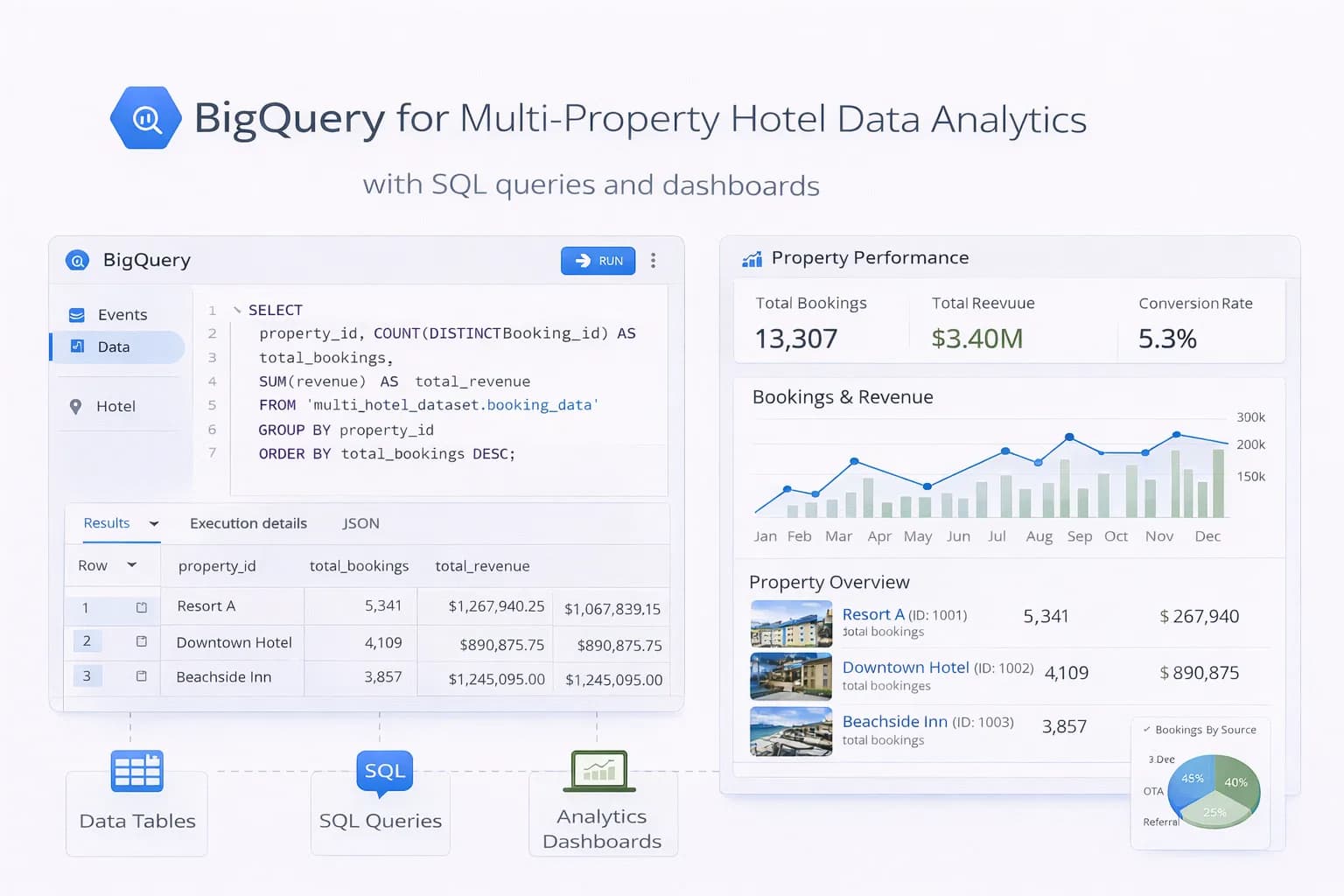
For hotel groups managing multiple properties across different regional domains, GA4 UI reporting can become cumbersome. Connecting your GA4 raw event export directly to Google Cloud allows advanced multi-touch attribution and automated dashboarding, as explained in our guide on BigQuery multi-property hotel analytics.
5. Implementation QA & Verification Checklist
Before trusting your GA4 data for budget allocation:
- [ ] Use GA4 DebugView alongside GTM Preview mode to inspect real-time parameter payloads.
- [ ] Verify that
purchaseevents fire only once per confirmation by storing transaction IDs in local storage or using GTM transaction deduplication. - [ ] Confirm currency codes match throughout the funnel (avoid mixing GBP and EUR).
- [ ] Check Search Console integration under Admin → Search Console Links to blend organic keyword data with landing page engagement.
- [ ] Review your complete reporting cadence using our comprehensive hotel analytics playbook.

Kiril Ivanov
Performance Marketing Specialist
Kiril Ivanov is a digital marketing specialist with experience managing local, national and international campaigns for businesses ranging from growing independent companies to major consumer brands. His background includes leading advertising automation work for Michael Kors and working on campaigns involving Canon, Dormeo, esure, DLG Group, Village Gym, Cameron House, Crerar Hotels, Cromlix Hotel, Harrison Fund and the Advertising Standards Authority. His experience spans paid search, paid social, advertising automation, SEO, conversion optimisation and wider digital strategy across hospitality, retail, financial services, professional services and other competitive sectors.
View author profile →Related Hotel Marketing Guides
Continue with related topics to build a complete strategy.