Optimising Booking Forms for Higher Completion
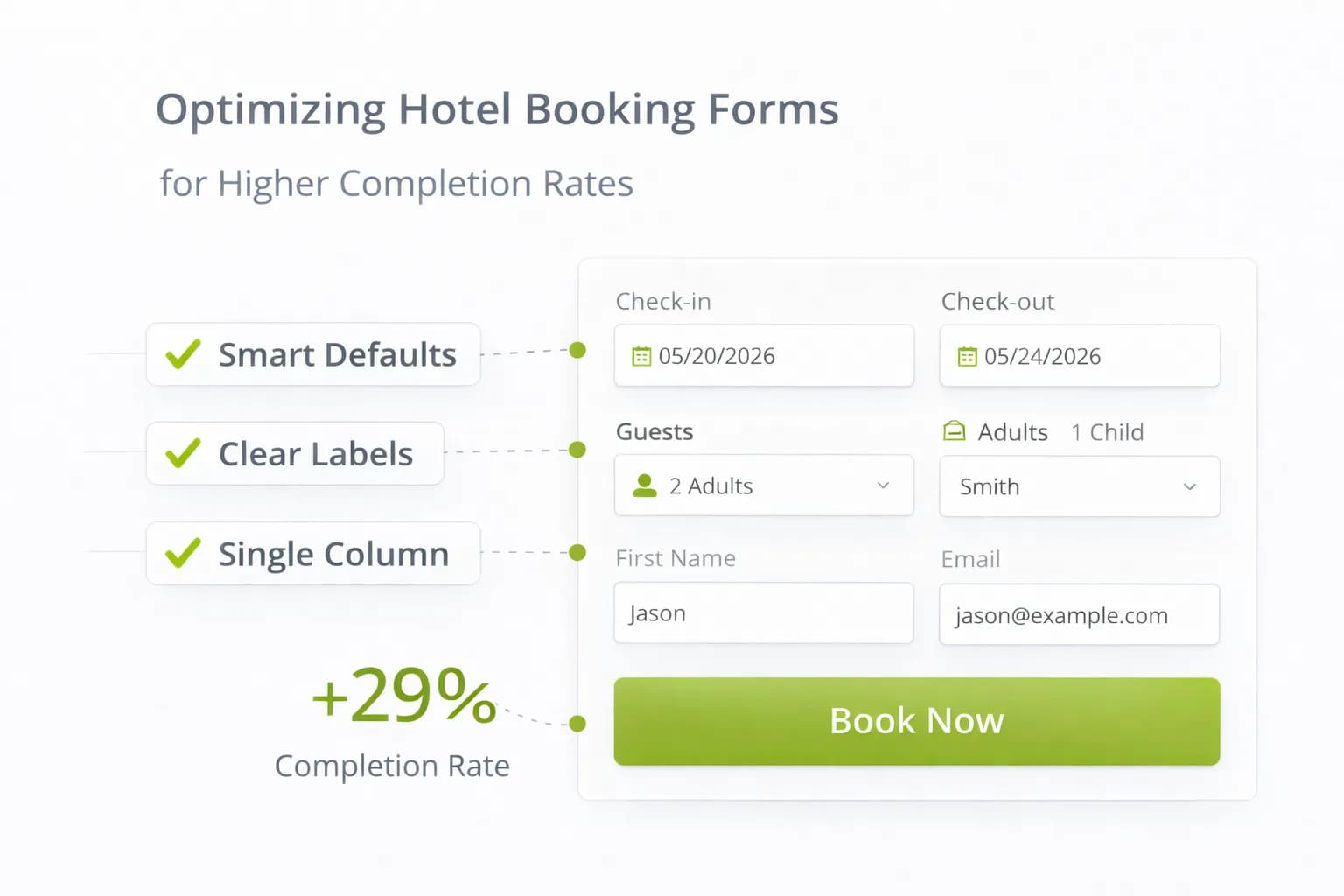
Most hotel booking drop-offs happen in the form. Guests hit confusing fields, unexpected fees, or clunky payment steps and abandon—often on mobile. The fix is not a redesign; it’s a clean, fast, predictable flow that answers questions as they appear.
This guide gives you a hotel-specific checklist for booking forms: field design, validation, payment, accessibility, and a measurement plan that proves uplift in GA4.
1) Ground rules before you change anything
- Keep speed healthy: measure LCP/CLS before and after edits; recheck with Website Speed and Mobile-Friendly. See Core Web Vitals guidance.
- Protect attribution: ensure cross-domain continuity site → engine → confirmation (see Cross-Domain Bookings).
- Measure purchases only: set
purchaseas the primary conversion; add clean funnel events (begin checkout → add payment info → purchase). Docs: GA4 ecommerce, GA4 conversions.
2) Field strategy: ask for less, format better
- Collect only what’s needed to transact: name, email, country, phone (optional), address only when required for billing.
- Use native inputs: email, tel, number, date; set mobile keyboards (numeric/email).
- One column on mobile; logical order: guest details → extras → payment → review.
- Show people what to type: labels persist outside the field; use short placeholders only for examples.
Quick wins
- Auto-format card numbers, postcodes; auto-advance between card fields.
- Country first → phone input with country code.
- Autofill enabled on all personal fields; use standard
autocompleteattributes.
3) Real-time validation that helps (not scolds)
- Validate on field blur and again on submit; errors are inline, in plain English.
- Never wipe what guests typed on error.
- Tell them how to fix it (“Postcode needs 5–8 characters” beats “Invalid”).
- For accessibility, tie error text to the field via
aria-describedby.
4) Progress UI that reduces anxiety
- Show total steps and where guests are (“Step 2 of 3: Payment”).
- Keep a summary sidebar (or sticky block on mobile) with dates, guests, room, total.
- A visible “Change details” link goes back without losing inputs.
5) Fee transparency near the CTA
- Display all fees and taxes with a true total before payment.
- Put cancellation terms within thumb reach; use one sentence plus “Learn more” to policy.
- Repeat totals on the payment step; no surprises.
For copy patterns and where to place this info, align with Hotel CRO: 2026 Insights and A/B Testing for Hotels.
6) Extras & upsells without friction
- Present 3–5 high-fit add-ons (parking, breakfast, late checkout); preselect only when fair.
- Explain value in 1 line (“Save 10% vs walk-up”).
- Price clarity: per night vs per stay. Update total instantly when toggled.
7) Payment that just works
- Offer Apple Pay / Google Pay where supported (fewer fields, higher mobile completion).
- Accept major cards; auto-detect type; support 3-D Secure gracefully.
- Timeouts with soft recovery: if authentication fails, return to payment step with all fields intact.
- Show security reassurance (lock icon, short PCI copy) without heavy seals.
If a PSP introduces an extra domain, make sure it’s in your cross-domain and unwanted referrals lists (see Cross-Domain guide).
8) Accessibility essentials (usable for everyone)
- Keyboard and screen-reader friendly; focus states visible.
- Labels outside fields; radio/checkbox groups with legends; large touch targets (≥44×44 px).
- Announce validation errors politely; don’t rely on colour alone.
- Language set correctly; date pickers usable with keys.
Follow general quality guidance in Google Search Essentials.
9) Mobile heuristics for booking forms
- Primary CTA sticky and unobtrusive; never covers totals.
- Avoid accordions for core fields; expand only optional sections.
- Keep the “Key Facts” block (fees, cancellation, check-in/out) visible or one tap away. See assistant-ready content.
- Compress images; defer non-critical scripts; retest with Website Speed.
10) Data integrity & privacy
- Respect consent (UK/EU): implement Consent Mode v2 and reflect it in your Privacy Policy.
- Keep PII out of GA4; store only in secure CRM/PMS.
- Use transaction IDs and currency in events; never send card data to analytics.
11) Measurement: prove the form is better
Wire a simple, reliable scoreboard.
Events
begin_checkout(first engine step)add_payment_info(payment step viewed)purchase(confirmation; includestransaction_id,value,currency)
Reports
- Completion rate: purchases ÷ begin checkout.
- Step-through: begin checkout → add payment info → purchase (by device).
- Revenue/1k sessions from Rooms/Offers entrances (tie to Analytics Dashboard).
- Form error rate: optional custom event when an error message is shown.
QA
- Use GA4 Realtime and DebugView to verify events end-to-end; annotate go-live.
- Reconcile totals with PMS/engine weekly.
12) Common leaks → quick fixes
- Guests abandon at card entry → enable Apple/Google Pay; auto-format card; reduce fields.
- High error rate on postcode/phone → use input masks and example hints; correct keyboards.
- Confusion over totals → show fees/taxes plainly near CTA; repeat on payment step.
- Returning guests re-type everything → enable autofill; respect saved profiles where vendor allows.
- Mobile rage taps → enlarge tap targets; move CTA within thumb reach.
13) 21-day booking-form sprint
Week 1 — Diagnose & plan
- Baseline funnel in GA4; record mobile vs desktop drop-offs.
- Run a quick heatmap/scrollmap on payment and details steps (see Heatmaps & Scrollmaps).
- List top 3 leaks: fields, fees, or payment.
Week 2 — Ship the basics
- Reduce fields; fix keyboards; add inline validation; make totals and cancellation visible.
- Turn on Apple/Google Pay (where available).
- Re-test speed and cross-domain.
Week 3 — Test & measure
- A/B one element (sticky CTA or fee transparency placement).
- Track purchases and revenue/1k sessions; review error rate by field.
- Roll the winner; document in Resources.
FAQ
Frequently Asked Questions
Conclusion
High-converting booking forms are short, clear, and predictable. Trim fields, validate helpfully, show the real total early, and make payment effortless—especially on mobile. Prove success with GA4 purchases and revenue/1k sessions, then run one focused test at a time to keep compounding direct bookings.
Make your booking flow effortless
Kiril Ivanov
Специалист по дигитален маркетинг
Кирил Иванов е специалист по дигитален маркетинг с опит в управлението на локални, национални и международни кампании за широк спектър от бизнеси — от независими компании до водещи потребителски марки. Неговият професионален опит включва ръководене на проекти за автоматизация на рекламата за Michael Kors и работа по кампании за Canon, Dormeo, esure, DLG Group, Village Gym, Cameron House, Crerar Hotels, Cromlix Hotel, Harrison Fund и Advertising Standards Authority (ASA). Опитът му обхваща платено търсене (PPC), платени социални мрежи, автоматизация на рекламата, SEO, оптимизация на процента на конверсия (CRO) и цялостна дигитална стратегия в хотелиерството, ритейла, финансовите и професионалните услуги.
Виж профила на автора →Свързани ръководства за хотелски маркетинг
Продължете със свързани теми, за да изградите пълна стратегия.