Heatmaps & Scrollmaps for Hotels
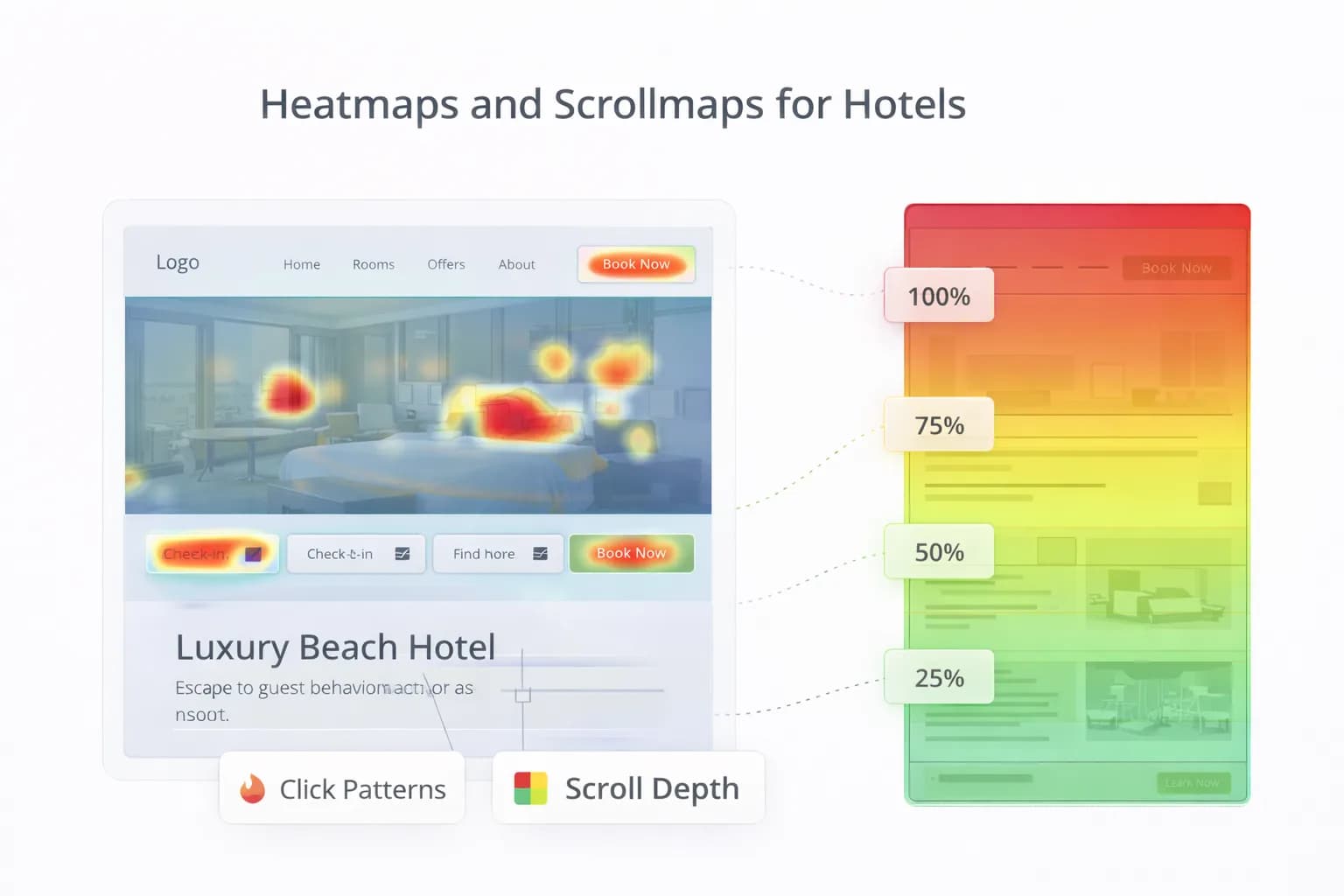
Great hotel UX isn’t guesswork. Heatmaps (where people click/tap) and scrollmaps (how far they scroll) show exactly how guests use your pages—on real devices, with real intent. Used well, they reveal friction, support A/B tests, and lift direct bookings.
This guide gives hotels a practical approach: clean set-up, privacy and consent, a repeatable analysis framework, accessibility checks, and a 30-day plan to turn insights into revenue.
1) What heatmaps and scrollmaps actually answer
Use them to validate decisions—not to replace analytics.
They answer:
- Are guests seeing the CTA and key facts above the fold on mobile?
- Which images or blocks get clicks that don’t progress bookings?
- Where do users rage-click or abandon the page?
- Do vital FAQs (parking, breakfast, accessibility) get attention?
They don’t answer alone:
- Which channel or campaign created the session? (use GA4)
- Revenue impact of a change? (run an A/B test; see A/B Testing for Hotels)
For performance context, keep Core Web Vitals healthy—slower pages distort behaviour; see web.dev’s Core Web Vitals guide and validate with Website Speed.
2) Pages to prioritise (hotel-specific)
Start where intent is clearest and impact is largest:
- Rooms & Offers pages (closest to booking).
- Parking, Breakfast, and Location hubs (answer key pre-stay questions).
- Homepage (navigation & “key facts” block).
- FAQ hub (if it drives support reduction or booking completeness).
Pair this with our 2026 CRO baseline in Hotel CRO: 2026 Insights.
3) Set-up that won’t break speed or privacy
- Load your chosen UX tool after consent and after primary content (defer where supported).
- Sample only what you need (e.g., 5–20% of traffic, mobile-first).
- Block on Consent Mode v2 where applicable and align with your Privacy Policy. See Google’s guidance on consent and tagging: Consent Mode.
Tagging hygiene (GTM):
- Use a Trigger Group: “Consent granted” + “Pageview”.
- Exclude booking confirmation if your vendor forbids third-party scripts.
- Re-test LCP/CLS after enabling the tool (don’t accept a speed tax).
4) A simple analysis framework (copy/paste)
Run this on each priority page type. Keep paragraphs ≤3 sentences in your notes.
A) Visibility (scrollmap)
- % of users who see Primary CTA and Key Facts without scrolling.
- Where does 50% of traffic drop out (fold line)?
- Do modals/popups steal attention above the fold?
B) Attention (heatmap)
- Clicks on non-interactive elements (hero images, dividers) = confusion.
- Interaction on low-value links (Instagram icon, footer legal) = leak.
- Interaction on FAQ toggles and room inclusions = decision support (good).
C) Friction
- Rage clicks or repeated taps on dead areas.
- Hover-only behaviour on desktop elements that don’t exist on mobile.
- Tiny tap targets (minimum 44×44 px) or CTAs outside thumb reach.
D) Next step
- Create 1–2 testable changes (see Section 8) and track with GA4 purchases and revenue/1k sessions. Docs: GA4 conversions.
5) What “good” looks like (benchmarks to aim for)
- ≥80% of mobile users see the primary CTA on Rooms/Offers.
- ≤10% of clicks on non-interactive visuals above the fold.
- ≤20% of sessions dominated by navigation churn (home ⇄ rooms ⇄ home).
- Key Facts block gets visible attention on mobile (top third of page).
- FAQ toggles: view → continue rate improves after adding concise answers.
Benchmarks are directional. Always confirm impact with controlled tests: what to test first.
6) Mobile-first heuristics for hotel pages
- Sticky CTA (availability) that doesn’t hide content; reachable with thumb.
- Key Facts above the fold: parking cost/height/EV, breakfast times, check-in/out, accessibility highlights, walking times to transport. See assistant-ready content.
- Tap targets ≥44×44 px; correct keyboards (numeric for postcode/phone).
- Media: compress, defer non-critical scripts; re-check with Mobile-Friendly.
7) Accessibility signals you can see in heatmaps
- Repeated taps on icons without labels → add text labels or ARIA.
- CTA not reached → colour contrast/size/placement issues.
- Accordion controls only expanding via tiny arrows → make the whole row clickable.
Cross-reference with WCAG guidance and keep UX in plain language. See the general quality rules in Google Search Essentials.
8) Common findings → pragmatic fixes
Finding: Users click hero images; CTA ignored.
Fix: Replace sliders with single hero + headline + CTA; move Key Facts above fold. Then A/B test.
Finding: Heavy footer/menu clicks.
Fix: Add Room, Offers, Parking, Location quick links in the first screen; reduce menu depth.
Finding: Rage clicks on facility icons.
Fix: Make icons interactive with short labels (“EV chargers: 4 × Type 2”) and link to amenity hub.
Finding: Scroll drop before FAQs.
Fix: Put 3–5 micro-FAQs higher with concise answers; mark up only when genuine and needed (see FAQPage guidance).
Finding: Users miss fee/cancellation info.
Fix: Fee transparency block near CTA; short cancellation copy visible pre-engine.
9) Tie heatmap insights to GA4 (so wins show up in revenue)
- Add a GTM event for availability widget view and CTA click (e.g.,
view_item_list,select_item,begin_checkout). - Mark only purchase (and genuine leads) as conversions.
- Scoreboard to monitor: revenue/1k sessions by page, entrance, and variant.
- Annotate the dates you ship changes. GA4 docs: GA4 ecommerce events.
For the reporting layer, start with our Analytics Dashboard and the ROI approach in Measuring the ROI of Hotel SEO.
10) Booking engine considerations (don’t get blocked)
- Some engines prohibit third-party UX scripts—respect vendor rules.
- If allowed, exclude confirmation pages by trigger to avoid sensitive data capture.
- Maintain cross-domain continuity so bookings attribute correctly; see Cross-Domain Bookings.
11) Governance & privacy (UK/EU hotels)
- Document what’s recorded (mouse/touch heatmaps, not keystrokes).
- Honour consent; disable on “deny”.
- Update your Privacy Policy with tooling categories and retention.
- Log a monthly UX tool review: sampling rate, pages covered, performance checks.
For consent/analytics basics, see Consent Mode and keep site behaviour aligned with your policy.
12) 30-day rollout (repeat quarterly)
Week 1 — Set-up & baseline
- Add tool via GTM with consent gating; sample 10–20% of mobile.
- Pick 5 priority pages: Rooms (x2), Offers (x1), Parking, Location.
- Baseline GA4: purchases, revenue/1k sessions, availability clicks.
Week 2 — Analyse & decide
- Run the framework (Section 4) per page.
- Shortlist 2 changes: e.g., move Key Facts up; add sticky CTA.
Week 3 — Ship & test
- Implement changes and launch an A/B test for one page type.
- Monitor GA4 Realtime and DebugView; validate speed with Website Speed.
Week 4 — Measure & scale
- Compare revenue/1k sessions and purchase rate.
- Roll winners sitewide; document learnings in Resources.
- Queue next two pages.
FAQ
Frequently Asked Questions
Conclusion
Heatmaps and scrollmaps turn opinions into evidence. Prioritise high-intent pages, implement privacy-safe sampling, analyse with a clear framework, and ship small, testable fixes tied to GA4 purchases and revenue/1k sessions. Repeat quarterly and you’ll convert more of the traffic you already have.
Get a CRO plan grounded in real behaviour
Kiril Ivanov
Специалист по дигитален маркетинг
Кирил Иванов е специалист по дигитален маркетинг с опит в управлението на локални, национални и международни кампании за широк спектър от бизнеси — от независими компании до водещи потребителски марки. Неговият професионален опит включва ръководене на проекти за автоматизация на рекламата за Michael Kors и работа по кампании за Canon, Dormeo, esure, DLG Group, Village Gym, Cameron House, Crerar Hotels, Cromlix Hotel, Harrison Fund и Advertising Standards Authority (ASA). Опитът му обхваща платено търсене (PPC), платени социални мрежи, автоматизация на рекламата, SEO, оптимизация на процента на конверсия (CRO) и цялостна дигитална стратегия в хотелиерството, ритейла, финансовите и професионалните услуги.
Виж профила на автора →Свързани ръководства за хотелски маркетинг
Продължете със свързани теми, за да изградите пълна стратегия.