Choosing the Right CMS for Hotel Websites
Your CMS determines how fast your hotel website loads, how easily you publish content, and how reliably you track conversions. A poor CMS choice creates constant technical debt; a good one supports SEO, CRO, AEO and speed for years.
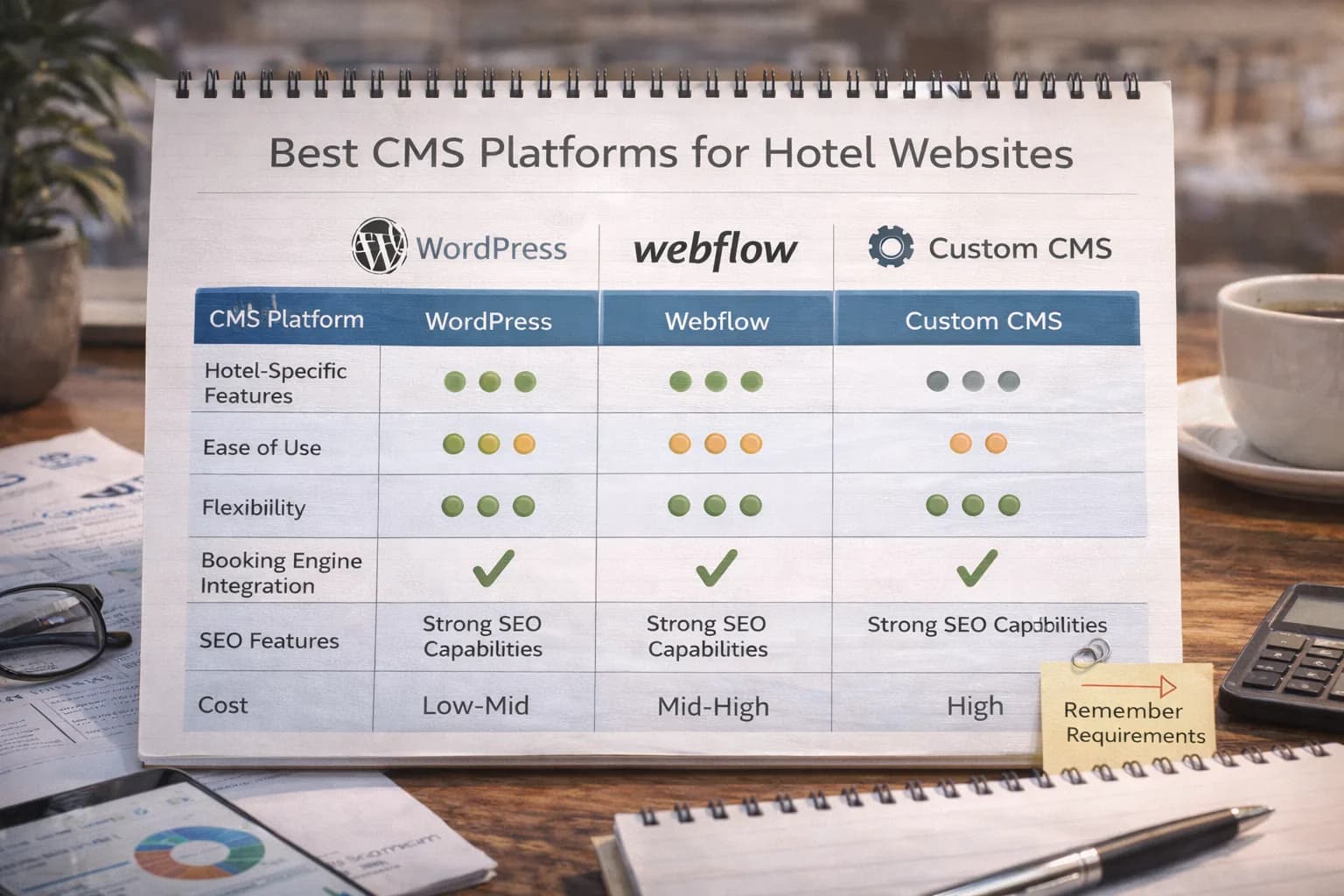
This guide compares the four CMS categories hotels use most — WordPress, headless (Next.js), Webflow, and proprietary hotel platforms — with a clear scoring framework you can use in one meeting with your team.
1) Quick answers (which CMS is right for you?)
Use this if you need a decision fast:
-
Single hotel, limited dev resources → WordPress
Best for small teams. Use a lightweight theme and caching; follow our Website Speed checks. -
Hotels needing performance + design control → Headless (Next.js)
Ideal for multi-property groups, custom UX, advanced SEO/AEO and fast CWV.
See Hotel Information Architecture for structuring brand, property and location hubs. -
Marketing-led teams wanting visual editing → Webflow
Easy for publishing, but validate booking engine widgets and cross-domain tracking.
Cross-domain guide: Tracking Booking Engine Data. -
Hotel chains on proprietary systems → Only if SEO controls are unlocked
Must allow editable meta, schema, canonicals, sitemaps, redirects and CWV optimisation.
If not, treat as a stopgap and plan a migration using the Website Migration Checklist.
2) CMS scoring framework (use this in your next team meeting)
Score each CMS 1–5 for each area:
- SEO Control — titles, descriptions, canonicals, robots, hreflang, open graph
- CWV Performance — image control, script bloat, caching, hosting
- Publishing Workflow — roles, scheduling, reusable blocks
- Multi-Property Structure — brand > property > rooms > offers > location content
- Booking Engine Integration — iframes/widgets, deep links, cross-domain
- Developer Availability — ability to maintain, extend, and fix
- Cost & Scalability — hosting, licensing, dev costs, energy of upkeep
Total your scores — highest wins for your situation, not universally.
3) WordPress for Hotels: Pros & Cons
Best for: independent hotels, small groups, fast builds, content-heavy sites.
Pros
- Easy to update, strong plugin ecosystem
- Flexible page builders (but choose lightweight)
- Works with any booking engine
- Full SEO control (titles, canonicals, schema)
- Cheap to host
Cons
- Can become slow if overloaded
- Needs ongoing security updates
- Requires strict control over plugins & themes
- Page builders often hurt CWV unless optimised
How to optimise:
Follow Core Web Vitals for Hotels and run monthly Speed Tests.
4) Headless (Next.js) for Hotels: Pros & Cons
Best for: hotels needing speed, control, and multi-property scalability.
Pros
- Highest CWV performance potential
- Custom routing & IA for large hotel groups
- Strong AEO and schema support
- Integrates cleanly with APIs (PMS/CRM/booking engine)
- Modern design freedom
Cons
- Needs developers
- Higher initial cost
- Requires proper SSR/SSG setup for SEO
Ideal for: brands building scalable content structures and powerful location hubs.
See Hotel SEO services for the technical foundations that pair well with headless builds.
5) Webflow for Hotels: Pros & Cons
Best for: marketing-led teams with simple requirements.
Pros
- Visual editing
- Fast to publish
- Good built-in CDN
- Good control over basic SEO fields
Cons
- Limited dynamic content structures compared to WordPress/headless
- Must validate booking engine scripts
- Cross-domain tracking must be manually configured
- Some schema types require custom code
Useful:
Setting up cross-domain tracking.
6) Proprietary Hotel CMS Platforms
Best for: chains where platform is mandated — but only if SEO controls exist.
Pros
- Integrated with booking engine
- Templates built for hotels
- Fast rollout for multiple properties
Cons
- Often restricts SEO (meta, schema, redirects, sitemaps)
- Weak Core Web Vitals
- Slow to improve or update
- Locked-in hosting & feature set
If your platform restricts technical SEO, request access or build a migration plan.
See Fixing Indexing Issues if your platform limits control.
7) Booking Engine Compatibility Checklist
Every CMS must work with your booking engine:
- Can it load the booking widget without blocking rendering?
- Can it pass UTMs reliably?
- Can it support cross-domain GA4 tracking?
- Are room-category URLs properly linked?
- Does it support flexible availability calendars?
- Does it allow landing-page testing for CRO?
See Conversion Optimisation Services for deeper testing.
8) SEO Control Checklist (must-have for hotels)
Your CMS must give you:
- Editable meta titles & descriptions
- Canonicals
- Robots.txt
- XML sitemaps
- Schema (Hotel, Room, FAQ, Review)
- HTTPS
- Clean URL structure
- Speed optimisation control
- Internal linking flexibility
- Image compression + WebP
You can validate all of this using
9) Scalability for Multi-Property Groups
What to review:
- Can you build brand > city > property > room structures?
- Can you share modules across sites?
- Is navigation synced?
- Can you generate location hubs easily?
- Can you manage redirects at scale?
See Information Architecture for examples.
10) How to choose your CMS in one meeting
Step 1: Score 1–5 in each category
Step 2: Remove any CMS scoring under 3 for SEO control
Step 3: Remove any CMS failing cross-domain tracking requirements
Step 4: Compare cost to expected revenue lift
Step 5: Pick the highest-scoring option
Step 6: Build a 90-day rollout plan
How to Measure Success After Choosing a CMS
- GA4: page speed, engagement, checkout starts, revenue
- Search Console: impressions, clicks, CTR per URL
- Website Speed Tool: LCP, INP, CLS
- SERP Tracker: rankings for rooms, brand + city, location guides
- PMS/CRM: direct vs OTA share monthly
- GBP Insights: calls, directions, listing interactions
Tools to use:
Website Speed,
Crawlability,
SERP Tracker.
Conclusion
Your CMS shapes the speed, flexibility, SEO power, and booking performance of your hotel website. WordPress suits most independents, headless fits multi-property growth, Webflow helps marketing teams publish fast, and proprietary platforms work only when SEO controls aren’t locked.
Use the scorecard, validate booking engine compatibility, and measure outcomes in GA4, Search Console, and CWV to ensure your CMS actively grows direct bookings.
Review my CMS options
Kiril Ivanov
Специалист по дигитален маркетинг
Кирил Иванов е специалист по дигитален маркетинг с опит в управлението на локални, национални и международни кампании за широк спектър от бизнеси — от независими компании до водещи потребителски марки. Неговият професионален опит включва ръководене на проекти за автоматизация на рекламата за Michael Kors и работа по кампании за Canon, Dormeo, esure, DLG Group, Village Gym, Cameron House, Crerar Hotels, Cromlix Hotel, Harrison Fund и Advertising Standards Authority (ASA). Опитът му обхваща платено търсене (PPC), платени социални мрежи, автоматизация на рекламата, SEO, оптимизация на процента на конверсия (CRO) и цялостна дигитална стратегия в хотелиерството, ритейла, финансовите и професионалните услуги.
Виж профила на автора →Свързани ръководства за хотелски маркетинг
Продължете със свързани теми, за да изградите пълна стратегия.